
How To Remove Toro Lawn Mower Plastic Cover: Easy Steps
Removing a plastic cover from a Toro lawn mower is usually a simple job, but the correct method depends on which cover you mean. Toro mowers may have an engine shroud, air filter cover, battery cover, belt cover, discharge chute, or a plastic top panel. Some covers snap off. Others use screws, bolts, clips, or hidden tabs.
The safest approach is to identify the cover first, shut down the mower, disconnect its power source, and check the owner’s manual for your exact model. A push mower, self-propelled mower, electric mower, riding mower, and zero-turn mower can all use different fasteners. Forcing the wrong edge can crack the plastic or break a small retaining tab.
This guide explains how to remove the most common Toro lawn mower plastic covers. It is written for a first-time homeowner, a DIY user who wants to service an older mower, and a family member helping a senior or new homeowner. The steps suit small yards and larger lawns, but steep slopes, riding mowers, and fuel-system repairs may call for a repair shop.

Quick answer: the safest way to remove a Toro plastic cover
The best way to remove a Toro plastic cover is to stop the mower, let the engine cool, remove the ignition key if equipped, disconnect the spark plug wire on a gas model or remove the battery on an electric model, then locate every screw, bolt, clip, and locking tab. Use the correct screwdriver or socket. Lift the cover gently instead of prying hard. If it does not move, stop and look for a hidden fastener.

The exact steps change by cover type. An air filter cover often has one screw or a pair of tabs. An engine shroud may have several screws. A battery cover can slide, hinge, or lift after a latch is released. A belt cover on a self-propelled or riding mower may sit near the drive system and needs extra care.
First identify the cover
Look at what the cover protects. This quick guide can help before you touch a tool.
| Cover type | Where you may find it | Common reason for removal |
|---|---|---|
| Air filter cover | Side of the gas engine | Replace or clean the air filter |
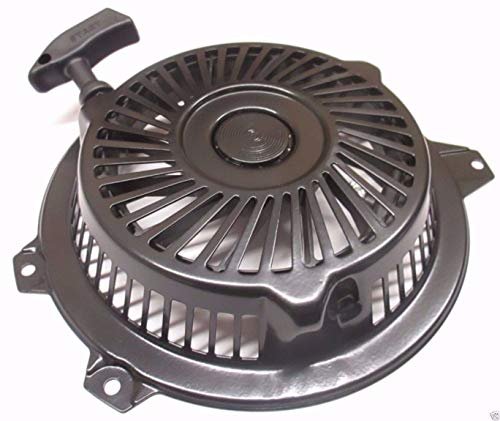
| Engine shroud | Around the top or sides of the engine | Reach the recoil starter, cooling area, or engine parts |
| Battery cover | Top or rear of an electric mower | Remove or inspect the battery |
| Belt cover | Near the drive wheels or mower deck | Inspect a drive belt or clear packed grass |
| Discharge chute | Side or rear of the cutting deck | Clean, replace, or adjust the chute |
| Control panel cover | Handle or upper body area | Reach wiring or control parts |
The cover’s location gives you the first clue. Do not remove a large engine shroud when a small air filter cover is all you need.
Tools and materials you may need
Most Toro mower covers need only common hand tools. Gather the tools before starting so you do not have to leave an open mower on the driveway.
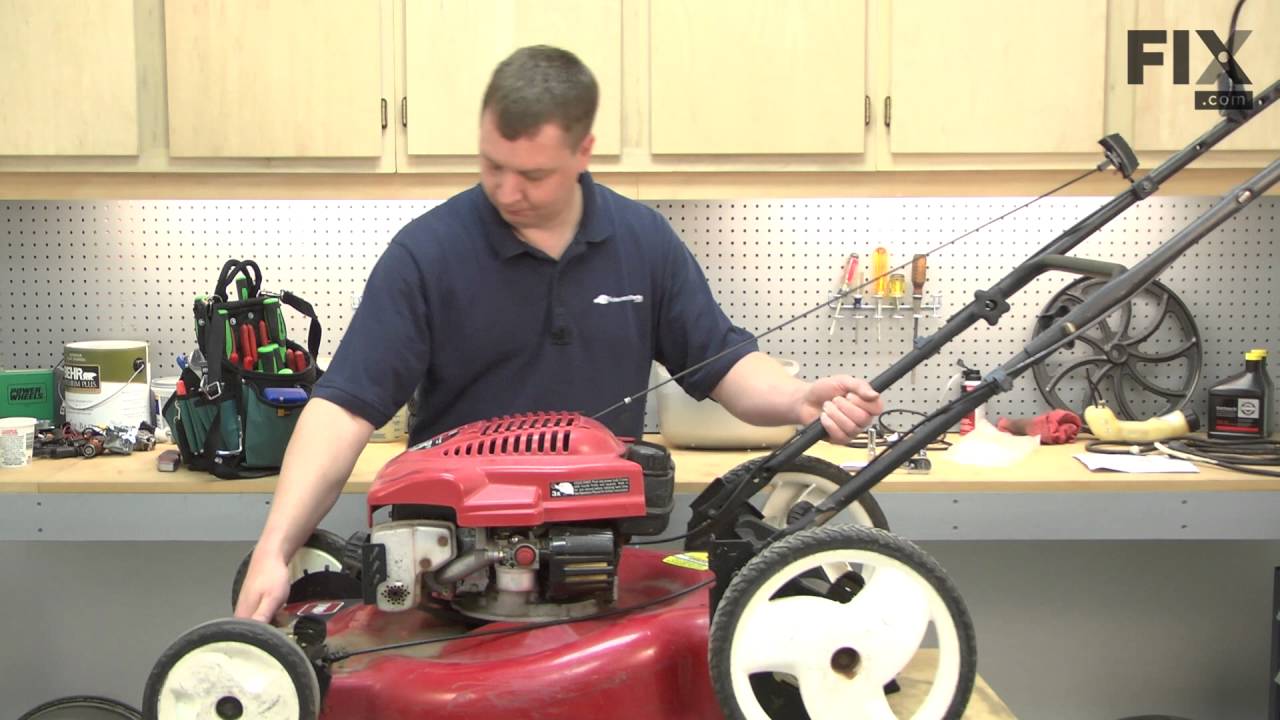
A magnetic tray or small cup helps prevent lost screws. A phone camera is also useful. Take a photo before removing wires, springs, or clips. The photo can guide reassembly when several parts look alike.
| Tool or material | Why it helps | Common substitute |
|---|---|---|
| Phillips screwdriver | Removes cross-head screws | Correct-size bit in a driver |
| Flat-head screwdriver | Releases some clips and tabs | Plastic trim tool |
| Socket set | Removes hex-head bolts | Nut driver |
| Torx bit set | Fits star-shaped screws on some models | Check the manual |
| Work gloves | Protects hands from sharp edges | Heavy garden gloves |
| Safety glasses | Blocks dust and broken plastic | Full face shield |
| Small tray | Holds screws and washers | Clean bowl |
| Phone or camera | Records wire and cover position | Written notes |
| Shop brush | Clears grass and dirt | Old soft toothbrush |
The main takeaway is simple: use the right bit and keep every fastener together. A loose-fit screwdriver can strip a screw head and turn a five-minute job into a repair.
Check the Toro model before disassembly
Find the model and serial number before removing the cover. On a walk-behind Toro mower, the label may be on the rear of the deck, near the handle, or under the grass bag. On a riding mower or zero-turn mower, check the frame, seat area, or side panel.
Search the model number in Toro’s official support materials. Use the parts diagram when available. A parts diagram can show hidden screws, spacers, cable routes, and the correct replacement cover.

Do not rely only on a photo of a similar mower. Two Toro models can look nearly identical but use different fasteners or cover designs. Confirm the cover part number, blade part number, battery voltage, and replacement filter before ordering anything.
Safety and preparation before removing the cover
Power must be disconnected before your hands go near a mower cover. A mower can store energy in a spinning blade, hot engine, battery, belt, or spring even when the machine looks quiet.

Use this preparation sequence for most Toro mowers:
- Park the mower on a flat, firm surface.
- Turn the mower off.
- Remove the ignition key if the mower has one.
- Wait for the blade and wheels to stop.
- Let a gas engine cool fully.
- Disconnect the spark plug wire on a gas mower.
- Remove the battery from a battery mower when possible.
- Close the fuel valve if the model has one.
- Clear grass, leaves, and dirt from the cover.
- Put on eye protection, gloves, and closed-toe shoes.
⚠️ Safety Warning: Never work under a mower with only a jack or improvised support. For a riding mower, use approved ramps or supports and follow the manual. Keep children and pets away from the work area.
Gas mower safety
A gas mower has a spark plug, fuel, oil, hot metal, and a blade. Disconnect the spark plug wire by gripping the boot, not the wire. Keep the wire away from the plug so it cannot reconnect by accident.
Never refuel a hot engine. Work outdoors or in a well-ventilated area. Keep cigarettes, flames, heaters, and sparks away from gasoline. If you need to tip a walk-behind mower, check the Toro manual first. Many engines should be tipped with the air filter and carburetor side facing up.
Battery and electric mower safety
Remove the battery before removing a cover when the design allows it. A battery mower can start if a safety key, start button, or control circuit is still active. Do not work around exposed battery contacts with metal tools.
Lithium-ion batteries should stay dry and cool. Do not open a sealed battery pack. If the battery is swollen, cracked, hot, or leaking, stop work and contact the manufacturer or an approved service center.
Prepare the mower and the work area
Brush away dry grass and thatch before you remove the cover. Packed clippings can hide screws and fall into the engine or belt system. Place a clean mat or piece of cardboard under the mower to catch small parts.
A clean work area matters even more for seniors or people with limited hand strength. Good lighting, a stable surface, and a magnetic tray reduce strain and mistakes.
How to remove the Toro air filter cover
The air filter cover is one of the most common plastic covers that people need to remove. It protects the air filter from dust and grass. A dirty filter can restrict airflow and cause hard starting, poor power, or black exhaust on a gas engine.

On many Toro walk-behind mowers, the air filter cover sits on the side of the engine. It may be held by one screw, two screws, a latch, or molded tabs. The shape changes between engine brands and Toro models.
Step 1: Find the air filter housing
Look for a small black or dark plastic box near the carburetor side of the engine. The housing may have vents or a raised cover. Do not confuse it with the muffler shield. The muffler becomes very hot and may have a metal guard.
Brush dirt away from the housing. Do not spray water into the air intake. Moisture can damage the filter and cause starting problems.
Step 2: Remove visible fasteners
Use the correct screwdriver or socket. Press down firmly while turning to prevent the bit from slipping. Turn counterclockwise to loosen the fastener.
Place each screw in a tray. If one screw is longer, mark its location. A long screw in the wrong hole can damage an internal part or prevent the cover from sitting flat.
Step 3: Release the cover
After removing the screws, pull the cover away slowly. Some covers have a hook on one side and a screw on the other. In that case, pull the screw side out first, then unhook the cover.
If the cover stays in place, check for a second screw or locking tab. Do not wedge a metal screwdriver deep into the seam. A plastic trim tool is safer for releasing a stubborn edge.
Step 4: Inspect the filter
Remove the filter only after the cover is off. Note its direction and shape. A foam filter may need cleaning and oiling, while a paper filter usually needs replacement. Follow the Toro or engine maker’s instructions.
Look for grass, oil, tears, or a crushed seal. If the gasket does not seal, dust can bypass the filter and wear the engine.
Step 5: Refit the cover
Clean the cover and housing with a dry brush. Seat the filter correctly. Engage any hooks or tabs first, then reinstall the screws.
Tighten the screws until snug. Do not crush the plastic by using excessive force. Start the mower only after the cover is fully seated and the spark plug wire or battery is correctly restored.
How to remove the engine shroud or top plastic cover
An engine shroud is a larger plastic cover around the top or side of the engine. It may protect the recoil starter, cooling fins, wiring, and fuel tank area. Removal is more involved than removing an air filter cover.
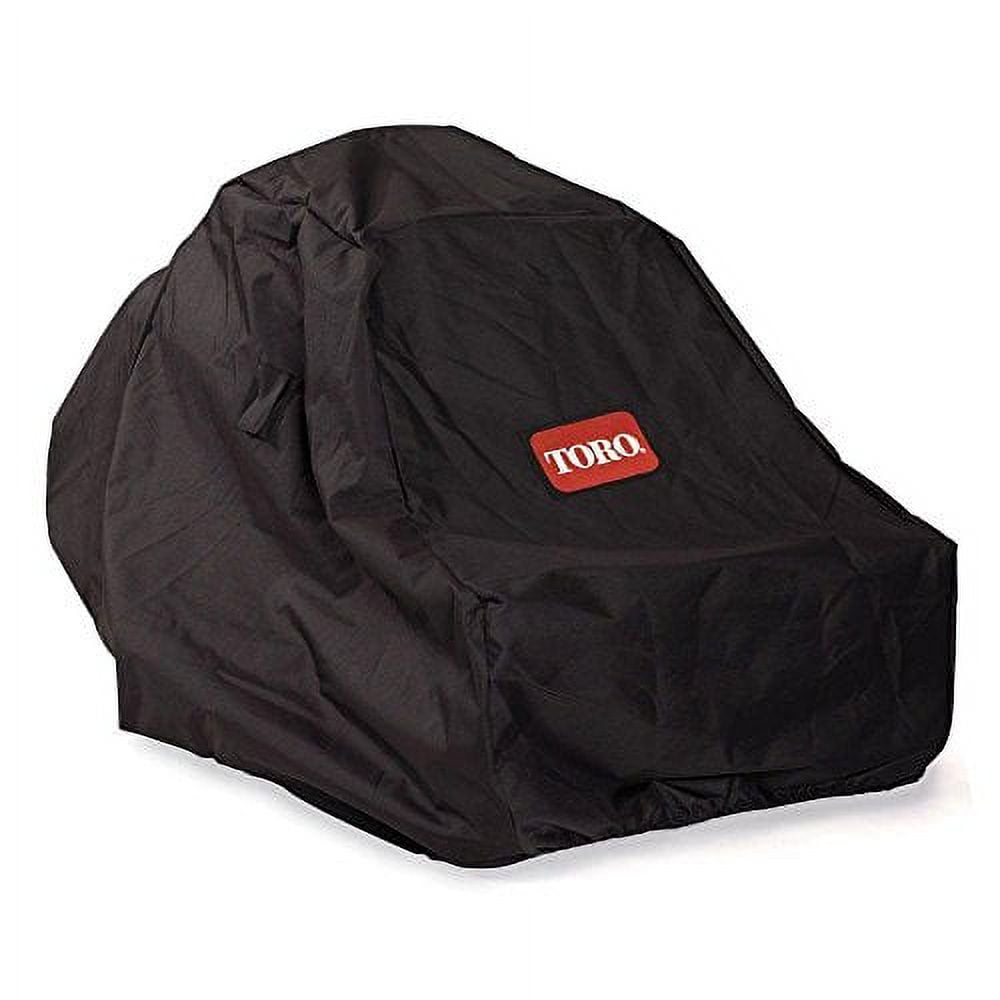
The main difference between an air filter cover and an engine shroud is the number of parts attached to it. A shroud may hold cables, guide a recoil rope, or cover cooling passages. Take photos before you disconnect or move anything.
Step 1: Clean and photograph the shroud
Use a dry brush or compressed air at low pressure. Keep debris from entering the flywheel area, carburetor, or cooling fins. Photograph the mower from several angles.
Take close photos of cable clips and wire routing. These photos can help if you are helping a parent, neighbor, or new homeowner who does not work on engines often.
Step 2: Locate every screw and bolt
Inspect the top, sides, and underside of the shroud. Some fasteners may be recessed. Check around the recoil starter and near the fuel tank.
Make a simple map if the screws differ in length. For example, place each screw on a piece of cardboard and label its location. This small step prevents many reassembly problems.
Step 3: Disconnect attached parts only if needed
Some shrouds have a throttle cable clip, engine stop wire, or recoil guide attached. Do not pull on a wire. Release the clip or connector as shown in the manual.
If the cover is trapped by a cable, stop. The cable may need to be unhooked at the engine end. Do not bend it sharply, since a kink can change throttle or safety-control operation.
Step 4: Lift the shroud evenly
Once all fasteners are out, lift the shroud straight up or follow the direction shown in the parts diagram. Work around the edges with your fingers.
If one corner will not lift, a fastener or tab is still engaged. A plastic cover often cracks at a corner when someone pries too hard. Gentle movement is a better test than force.
Step 5: Check cooling areas
With the shroud removed, inspect the cooling fins and flywheel screen. Grass and dust can block airflow. Clean with a soft brush.
Do not remove the flywheel, ignition coil, or governor parts unless the manual gives a clear procedure. These parts affect engine timing and speed.
How to remove a Toro battery cover
Battery covers appear on electric and battery-powered Toro mowers. The cover may protect the battery bay, terminals, safety key, or control wiring.
Battery mowers are often quieter than gas mowers and suit small to medium yards, especially where local rules limit gas equipment. They still need safe service habits. Removing a battery cover is not the same as opening a battery pack.
Step 1: Remove the battery and safety key
Turn the mower off. Remove the battery and safety key if supplied. Set the battery on a dry, nonmetal surface away from direct sun.
Check the battery bay for grass and moisture. Do not use a metal screwdriver near exposed terminals. Use a dry cloth or soft brush instead.
Step 2: Look for the cover release
A battery cover may use:
- A push button
- A sliding latch
- A hinged rear edge
- Two Phillips screws
- Torx screws
- Plastic tabs inside the battery bay
Press or slide the latch in the direction shown by the molded arrow. If the cover does not release, do not pry against the battery housing.
Step 3: Lift or slide the cover
Many covers must move a short distance before they lift. Try sliding it toward the handle or rear of the mower. Use both hands so the plastic does not twist.
If wires are attached to the cover, support the cover and disconnect the plug only by its connector body. Never pull on the wires.
Step 4: Inspect the battery compartment
Look for corrosion, water, damaged plastic, or loose terminals. A small amount of dry grass can be brushed out. Do not wash the battery bay unless the manual specifically allows it.
A cover that no longer latches can allow dust and water inside. Replace a cracked cover rather than securing it with tape near moving parts or electrical contacts.
How to remove a Toro belt cover
A belt cover protects a drive belt on some self-propelled walk-behind mowers and riding mowers. On a riding mower or zero-turn mower, the belt cover may be close to the mower deck, pulleys, and blades.

This job needs extra care. A belt can hold tension, and a mower deck can contain sharp blades. The cover may also support a belt guide or shield.
Step 1: Disconnect power completely
For a gas mower, disconnect the spark plug wire. For a battery mower, remove the battery. For a riding mower, remove the key and follow the manual’s parking and transmission instructions.
Never put fingers between a belt and pulley. A spring-loaded idler can move suddenly.
Step 2: Identify the belt cover fasteners
Look for screws or bolts around the cover edge. Some covers use a tab at one end. Others may share a fastener with a belt guide.
Do not remove a belt guide unless the manual requires it. A guide that is installed in the wrong position can cause belt damage.
Step 3: Release the cover without touching the belt
Remove the fasteners and lift the cover away. If the cover is stuck, check whether grass is packed around the edge. Clear it with a brush.
Do not spin the blade or pulley by hand while your fingers are near the belt. If you need to rotate a pulley for inspection, use a safe method from the manual.
Step 4: Inspect common wear points
Look for:
- Cracks or shiny spots on the belt
- Frayed belt edges
- Grass wrapped around a pulley
- Loose pulley hardware
- A bent belt guide
- Oil or grease on the belt
A drive belt can wear faster in wet grass, tall grass, and dusty yards. A riding mower used on a large lot may need more frequent inspection than a push mower used on a small, flat lawn.
Step 5: Reinstall the belt cover
Clean the cover and align every tab. Refit the screws by hand first. Tighten them evenly.
Before reconnecting power, make sure no tools remain inside the deck or belt area. Test the drive at low speed in an open area.
How to remove a discharge chute or plastic side cover
A discharge chute directs grass away from the cutting deck. A rear cover may close the bagging opening or mulching passage. These parts often use a pin, spring, hinge, knob, or molded tabs.

Removing a discharge chute is common when cleaning wet clippings or installing a grass catcher or mulching kit. Mulching means cutting grass into small pieces and returning them to the turfgrass. A side-discharge setup throws clippings to the side instead.
Step 1: Stop and disconnect the mower
The blade must be completely stopped. Disconnect the spark plug wire or remove the battery. Never reach into a chute while the mower is connected to power.
Step 2: Find the hinge, pin, or knob
Look near the chute hinge. A retaining pin may slide out by hand. A knob may turn counterclockwise. Some Toro covers use a spring-loaded door.
Do not stretch or remove a spring unless required. A spring can snap back and pinch a finger.
Step 3: Clear the chute
Use a stick or brush, not your hand, to clear packed grass. Wet grass can form a hard plug. Let the mower dry before cleaning if conditions are very damp.
Step 4: Lift or slide the cover away
Move the cover along its hinge path. If it feels locked, look for a second latch. Avoid bending the chute because it must later seal against the deck.
Step 5: Reinstall the chute correctly
The chute should close fully or attach firmly. A loose chute can strike the blade area, throw debris, or interfere with a grass catcher.
What to do when the cover will not come off
A cover that will not move usually has a hidden fastener, a locking tab, packed grass, or tension from another part. The best fix is to find the cause, not apply more force.

Use this problem-and-solution guide before reaching for pliers.
| Problem | Likely cause | Safe response |
|---|---|---|
| Cover lifts on one side only | Hidden screw or hook | Inspect the stuck side |
| Screw turns but stays in place | Captive screw design | Lift the cover gently while turning |
| Plastic flexes and creaks | Retaining tab is still locked | Stop and find the tab |
| Cover is dirty around the seam | Packed grass or soil | Brush the seam clean |
| Screw head is stripped | Wrong bit or corrosion | Use the correct extraction method |
| Wire holds the cover | Attached connector or cable | Photograph and disconnect correctly |
| Cover feels spring-loaded | Belt, hinge, or spring tension | Follow the model manual |
A stripped screw is not a reason to pry against the plastic. Try a new bit of the correct size, press down firmly, and turn slowly. If the screw is badly damaged, a repair shop can remove it without breaking the housing.
Plastic tab repair
Small plastic tabs can become brittle from age, heat, cold, and ultraviolet light. Do not bend an old tab repeatedly. If it breaks, the cover may no longer stay secure.
Temporary tape can hold a loose cover during transport, but it is not a proper repair near a belt, blade, engine, or hot muffler. Replace the cover or use the approved repair part.
Reinstalling the Toro plastic cover
Putting the cover back correctly is as important as taking it off. A cover may protect the engine from debris, guide cooling air, shield a belt, or keep a battery compartment dry.
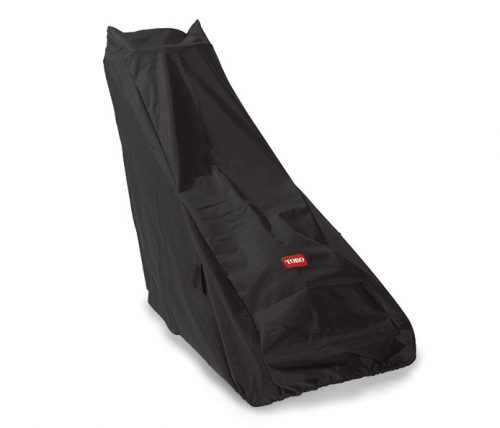
Use this order:
- Clean the cover and mounting surface.
- Compare the cover with your photos.
- Route cables and wires through their original clips.
- Engage hooks and tabs before tightening screws.
- Start every screw by hand.
- Tighten screws evenly.
- Check that no wire is pinched.
- Confirm the cover does not touch a belt, pulley, blade, or flywheel.
- Reconnect the spark plug wire or install the battery only after the cover is secure.
- Run a short test in a clear area.
Do not use random screws. The wrong length can pierce a wire, hit an engine part, or prevent the cover from seating. Use the original fastener or confirm the correct part number.
Test the mower after reassembly
For a gas mower, start it outdoors. Listen for rattling, scraping, or a change in engine speed. Shut it down at once if the cover vibrates or a control does not work.
For a battery mower, install the battery and test the start control without engaging the blade first, if the model allows that. Check the safety bar, key, and blade control.
For a self-propelled mower, test the drive only after the blade area is clear. For a riding mower or zero-turn mower, test at low speed in an open area.
Common mistakes to avoid
Most cover damage comes from rushing. These mistakes are easy to prevent.

Prying before finding all fasteners
A hidden screw can hold one corner tight. Prying that corner may break the housing. Look along the underside and inside the handle area.
Using the wrong screwdriver
A Phillips bit and a Pozidriv bit can look similar. A Torx screw needs a Torx bit. The wrong tool slips and rounds the head.
Pulling wires by hand
Hold the connector body. Wires can pull out of a crimp or break inside the insulation. Label connectors if more than one looks alike.
Working on a hot engine
Plastic can soften near hot parts. A hot muffler can cause a serious burn. Give a gas mower plenty of time to cool.
Losing the cover screws
A mower can vibrate loose hardware over time. Keep screws in a tray and do not replace a missing screw with a random wood screw.
Cleaning with too much water
Water can enter the air intake, battery bay, wiring, or control panel. Use a dry brush first. Follow the manual for any wet cleaning.
💡 Pro Tip: Take one photo before each major step. A 10-second photo often saves 20 minutes of guesswork during reassembly.
Time, cost, and skill level
A small air filter cover may take 5 to 15 minutes to remove and replace. An engine shroud or belt cover may take 20 to 60 minutes, depending on access, dirt, and the number of fasteners.

The work is usually low cost if the cover only needs cleaning. Costs rise when a screw is stripped, a tab breaks, a cable is damaged, or the cover must be replaced. Check the latest Toro parts listing for current prices and compatibility.
| Task | Typical skill level | Main cost factor |
|---|---|---|
| Remove air filter cover | Beginner | Filter condition |
| Remove battery cover | Beginner | Replacement latch or cover |
| Remove engine shroud | Beginner to intermediate | Hidden fasteners and cables |
| Remove discharge chute | Beginner | Broken hinge or spring |
| Remove belt cover | Intermediate | Belt tension and access |
| Replace a cracked cover | Beginner to intermediate | Correct model part |
These jobs suit a homeowner who can use a screwdriver and follow safety steps. A person with limited grip strength may find a shop visit easier, especially if screws are corroded.
When to hire a professional
Call a qualified mower repair shop if the cover removal exposes a problem you cannot identify. This includes a damaged fuel line, leaking carburetor, broken safety switch, burnt wiring, seized pulley, or bent blade shaft.
Professional help is also wise when:
- The mower is a riding mower or zero-turn with a heavy deck.
- You must remove a flywheel or ignition part.
- The battery is swollen or leaking.
- A fuel smell remains after the mower is shut off.
- The blade continues to turn when the control is released.
- The engine overspeeds.
- A safety interlock does not work.
- The cover is part of a warranty repair.
A repair shop can also identify the correct cover from the model and serial number. This may save money compared with buying a similar-looking part that does not fit.
Keeping the plastic cover and mower in good shape
A cover lasts longer when the mower is kept clean and stored out of harsh weather. UV light, freezing temperatures, fuel vapor, and vibration can weaken plastic over time.
Follow a simple care routine:
- Brush grass from the deck after mowing.
- Keep cooling vents open.
- Store the mower in a dry shed or garage.
- Avoid stacking heavy tools on plastic covers.
- Do not leave a battery in extreme heat.
- Inspect screws and tabs at the start of the mowing season.
- Replace cracked covers before they contact moving parts.
- Keep the blade sharp and balanced.
- Check the air filter and spark plug on a gas model.
- Use fuel stabilizer when the manual recommends it.
Mowing wet grass can pack clippings under the deck and around the chute. Wet turf also tears more easily and can create ruts, especially on slopes. Let the lawn dry when possible.
For a small flat yard, a push mower may need less belt and drive service than a self-propelled mower. A self-propelled mower can help on hills, but its drive system adds belts, gears, and covers that need inspection. Riding and zero-turn mowers suit larger lots but have more safety and storage demands.
🌿 Eco or Disposal Note: Recycle lithium-ion mower batteries through a designated battery drop-off. Take old gasoline and oil to a household hazardous-waste site. Donate or recycle a usable mower instead of sending it to a landfill.
Choosing the right service approach for your yard
The cover removal method does not change much based on lawn size, but the reason for service often does. A small city yard may need an air filter check and deck cleaning. A large rural lawn may need belt, blade, and cooling-system inspections more often.
Consider these mower types:
| Mower type | Good fit | Cover-related concern |
|---|---|---|
| Push mower | Small, flat yards | Less drive-system access |
| Self-propelled mower | Medium yards or mild hills | More belts and controls |
| Battery mower | Small to medium yards | Battery bay and contacts |
| Corded mower | Small yards near an outlet | Cord and control housing |
| Riding mower | Large lawns | Deck, belt, and engine covers |
| Zero-turn mower | Large open lawns | Multiple belts and deck shields |
| Reel mower | Small, level lawns | Reel guard and blade adjustment |
| Robotic mower | Defined lawns with charging area | Battery housing and sensors |
A first-time homeowner with a small, flat lawn may prefer a light push or battery mower with simple access panels. A senior managing a hilly lawn may benefit from a self-propelled mower, but only if the controls are clear and the weight is manageable. A gift buyer should confirm the model before purchasing filters, covers, or tools.
Safety, local rules, and disposal
Mower service should fit local rules as well as the machine. Some cities restrict gas equipment during certain hours or seasons. Some homeowners associations limit noise, storage, or outdoor equipment use.
Check your city and HOA before changing mower types or storing fuel. Confirm rules for gasoline storage, battery disposal, noise, and yard waste. Ear protection is useful around gas engines, riding mowers, leaf blowers, and string trimmers.
Always follow these basic rules:
- Wear safety glasses and hearing protection.
- Wear closed-toe shoes.
- Clear rocks, sticks, and toys before mowing.
- Keep children and pets away.
- Never mow wet grass on slopes.
- Disconnect the spark plug or remove the battery before service.
- Never refuel a hot engine.
- Keep hands away from blades, belts, and pulleys.
- Follow the owner’s manual.
- Use the correct replacement parts.
📜 Check Local Rules: Gas-equipment limits and quiet hours vary by city. Confirm local requirements before buying a new gas mower or using one early in the morning.
Frequently asked questions
Q: How do I remove a Toro lawn mower plastic cover without breaking it?
A: Find every screw, bolt, clip, and locking tab first. Disconnect the spark plug wire or remove the battery. Lift the cover in the direction allowed by its hooks or hinges. If it does not move, stop and check for a hidden fastener instead of prying harder.
Q: Where is the Toro mower air filter cover?
A: On many gas walk-behind Toro mowers, the air filter cover is a small plastic box on the side of the engine. It may be near the carburetor and is often held by one screw, two screws, or tabs. Check your model manual because engine layouts vary.
Q: Do I need to remove the battery before removing a Toro plastic cover?
A: Yes, remove the battery when the cover is near the battery bay, wiring, controls, or blade system. Removing the battery reduces the chance of accidental startup. Also remove the safety key if your mower uses one.
Q: Do I disconnect the spark plug wire to remove a gas mower cover?
A: Yes. Disconnect the spark plug wire before servicing a gas mower. Let the engine cool first, and grip the rubber boot rather than pulling the wire itself. Keep the boot away from the spark plug during the repair.
Q: Why will the Toro engine cover not come off after I remove the screws?
A: A hidden screw, hook, cable, or plastic tab may still hold it. Packed grass can also bind the seam. Brush the area clean, inspect all sides, and check the model’s parts diagram. Do not use heavy force.
Q: Can I use a flat-head screwdriver to pry off a Toro plastic cover?
A: Use a flat-head screwdriver only when the manual shows a release slot and the tip fits correctly. A plastic trim tool is safer for delicate edges. Prying near a battery, wire, belt, or thin tab can cause damage.
Q: How do I remove a Toro battery cover?
A: Turn the mower off, remove the battery and safety key, then look for a latch, sliding release, hinge, or screws. Some covers slide before lifting. Do not open the battery pack itself, and do not force a cover that has a wire attached.
Q: Can I run the Toro mower without its plastic cover?
A: Do not run the mower with a missing cover unless the owner’s manual specifically allows a brief service test. The cover may protect moving parts, guide cooling air, contain debris, or shield wiring. Reinstall it before normal mowing.
Q: How do I remove a Toro belt cover?
A: Disconnect the spark plug wire or remove the battery. Find and remove the belt-cover fasteners, then lift the cover away without placing fingers near the belt or pulleys. Riding mower deck covers may require extra support and should follow the manual closely.
Q: What should I do if a plastic tab breaks?
A: Stop and inspect the cover. A broken tab can allow vibration or contact with a belt, blade, or hot engine. Replace the cover with the correct Toro part when possible. Do not depend on tape near moving or hot parts.
Q: Is it worth repairing an older Toro mower?
A: It can be worthwhile when the mower has a sound engine, deck, frame, and safety system. A low-cost cover or filter may make sense for a small yard. If the blade shaft, engine, battery, and deck all need work, compare repair costs with a replacement mower.
Q: How long does a Toro lawn mower last?
A: Service life depends on the mower type, storage, mowing hours, climate, and maintenance. Blades, belts, spark plugs, air filters, batteries, and tires wear sooner than the main frame. Clean storage and regular service can help, but no fixed life span applies to every model.
Q: What if I cannot find my Toro manual?
A: Find the model and serial number on the mower, then use Toro’s official support site or contact an authorized dealer. Avoid guessing from a similar model. The correct manual and parts diagram can show the cover fastener locations.
Q: Can wet grass damage a Toro mower cover?
A: Wet grass can pack around the deck, chute, belt cover, and cooling areas. Moisture can also promote corrosion around fasteners and electrical contacts. Let the mower dry, disconnect power, and clean it with a brush before removing a cover.
Conclusion
Removing a Toro lawn mower plastic cover is usually manageable when you identify the part, disconnect power, use the correct tool, and work slowly. The air filter cover is often the easiest. An engine shroud, belt cover, battery housing, or riding mower deck cover may need more care.
Use the model and serial number to confirm the design and replacement parts. Never force a stuck cover, work near a blade with power connected, or run a mower with a damaged safety shield. When a cover hides fuel, wiring, belt tension, or riding-mower deck parts, a qualified repair shop is the safer choice.
Affiliate disclosure: This article may contain affiliate links. If you purchase a product through one of those links, we may earn a commission at no extra cost to you. Always confirm the latest product details, model compatibility, deck size, battery voltage, blade type, and replacement part number on the manufacturer’s product page and in the owner’s manual.



One Comment