How To Turn Off Segway Navimow: Quick Guide
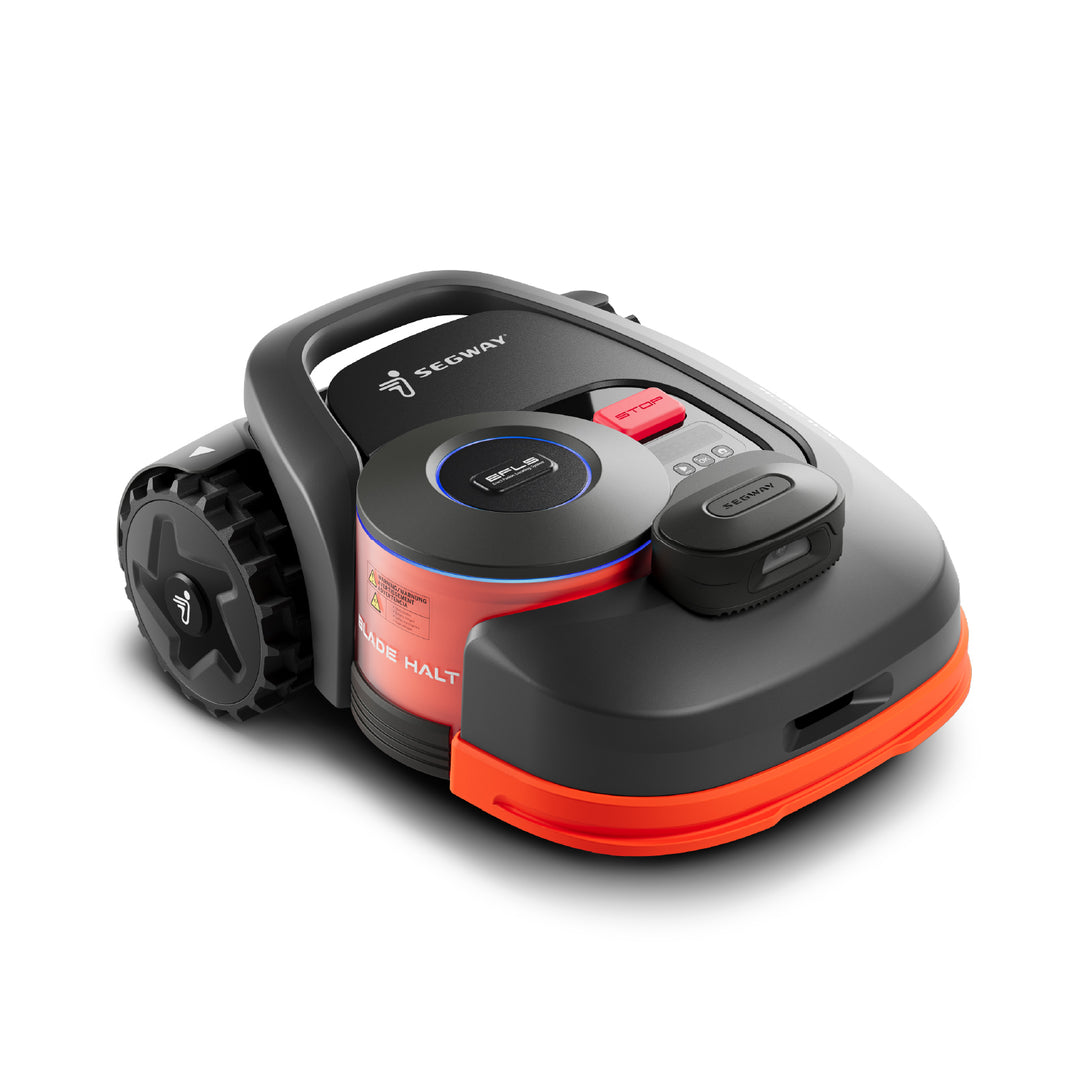
For Navimow owners in the United States, the usual way to turn off a Segway Navimow robotic mower is to press the STOP button first, then press and hold the mower’s Power button for about 4 seconds. Release the button when the mower shuts down or the display turns off.
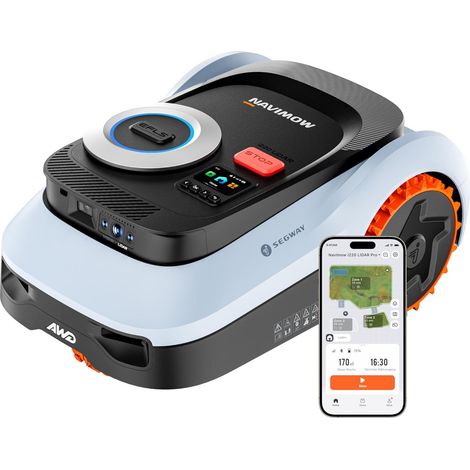
The exact button layout can vary by model, such as the Navimow i Series, H Series, or X3 Series. Always use the emergency STOP button first if the mower is moving, cutting grass, or needs immediate attention.

Quick Answer: Turn Off a Segway Navimow
Follow these steps:
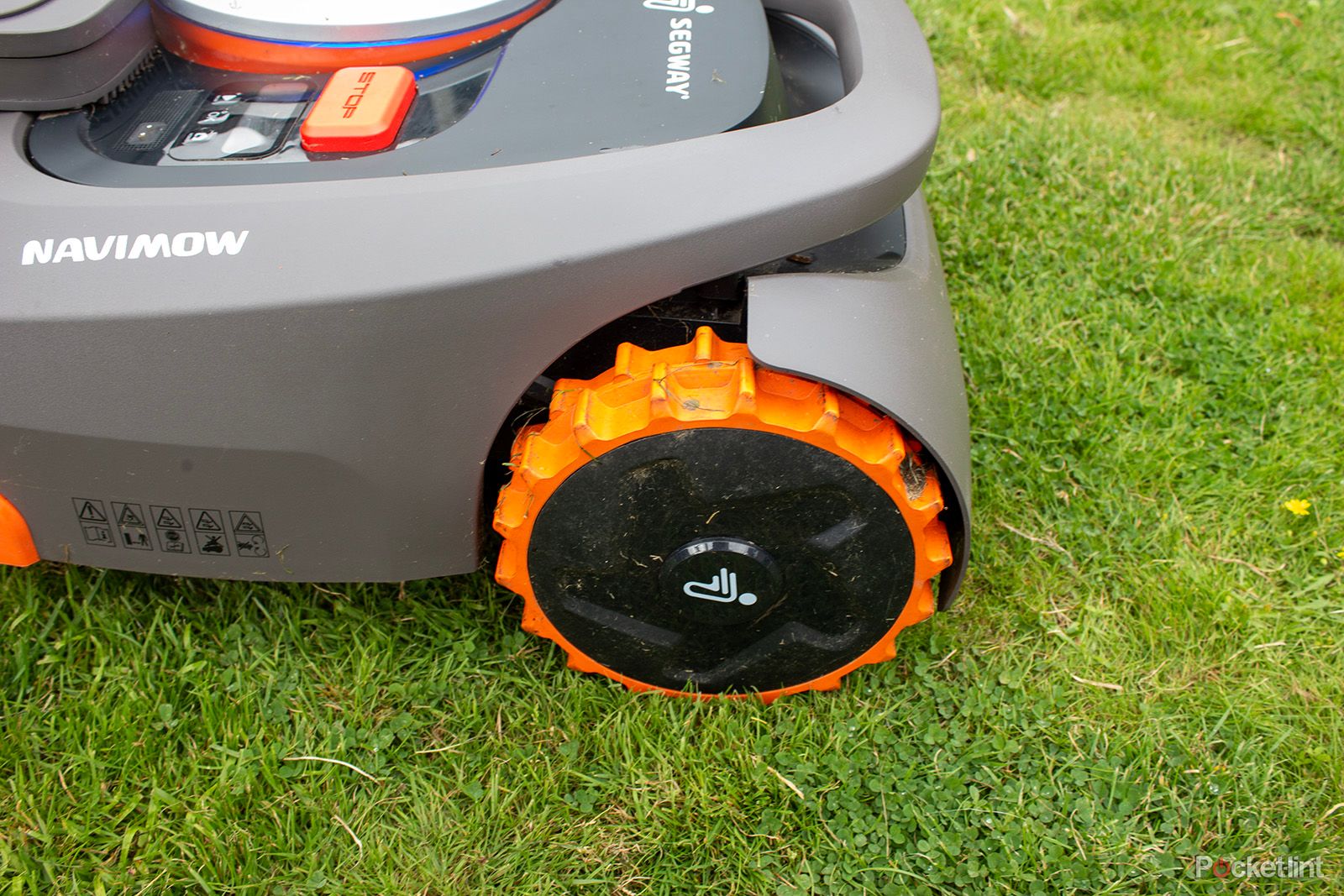
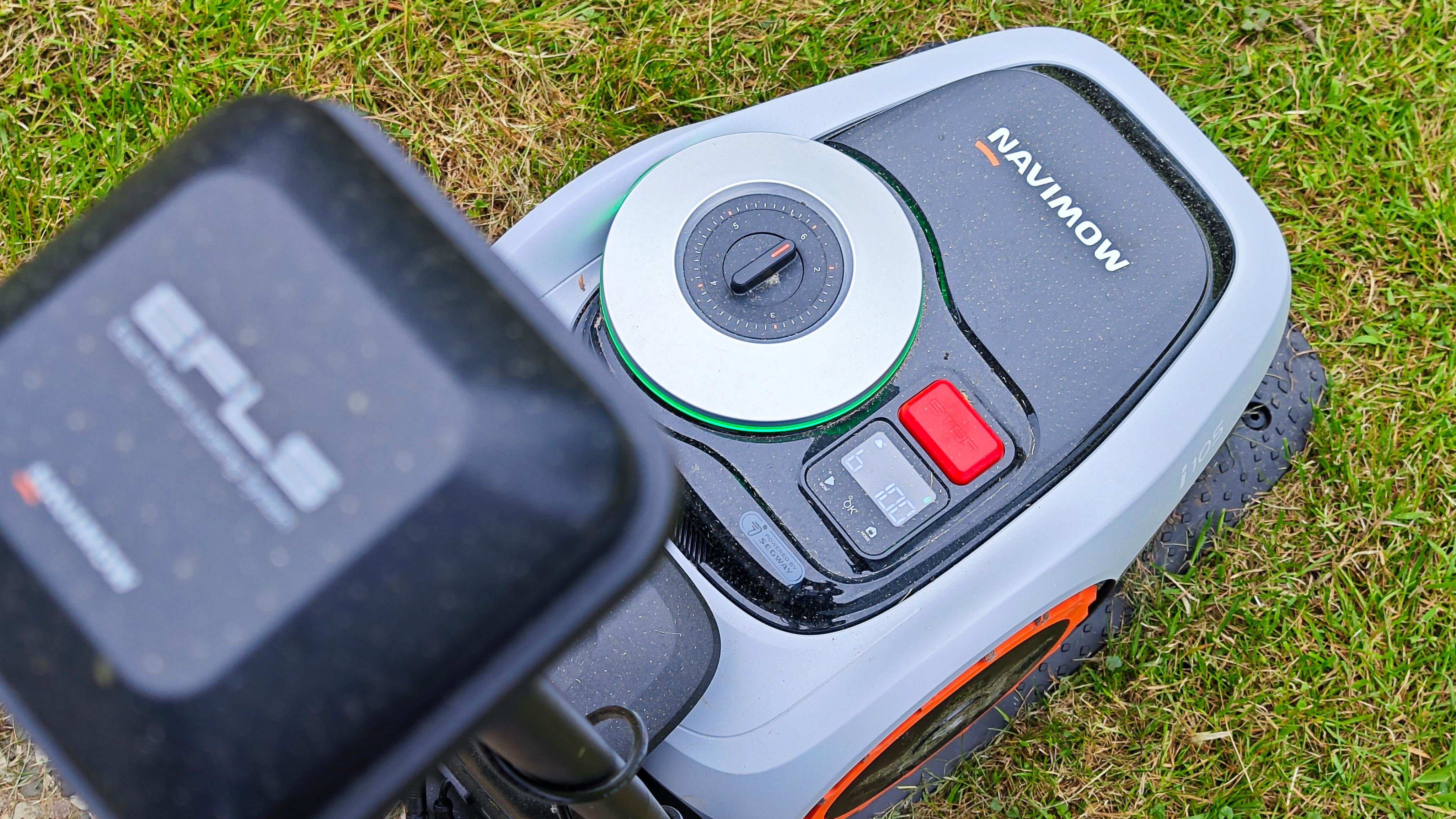
- Press the red STOP button on top of the mower.
- Wait for the blades and wheels to stop.
- Press and hold the Power button for about 4 seconds.
- Release the button when the mower powers off.
- If you plan to move, clean, inspect, or store the mower, confirm that the mower is fully off.
Do not lift the mower while it is running. Stopping the mower and turning it off are separate actions. The STOP button halts operation. The Power button shuts down the mower.
Before You Turn Off the Navimow
Check the reason for shutting down the mower. The safest method depends on what you need to do next.
| Situation | Recommended action |
|---|---|
| You need to pause mowing | Press the STOP button |
| You need to stop the mower for a short time | Press STOP and leave it in a safe place |
| You need to move the mower | Press STOP, power it off, then carry it |
| You need to clean the mower | Press STOP, power it off, and disconnect the charging system if needed |
| You need to inspect the blades | Power the mower off before touching or turning it over |
| You need to store it for winter | Power it off, clean it, charge it as directed, and store it in a dry place |
| The mower is acting strangely | Press STOP first, then power it off |
Keep your hands away from the blade area. The blades may coast briefly after the mower stops.
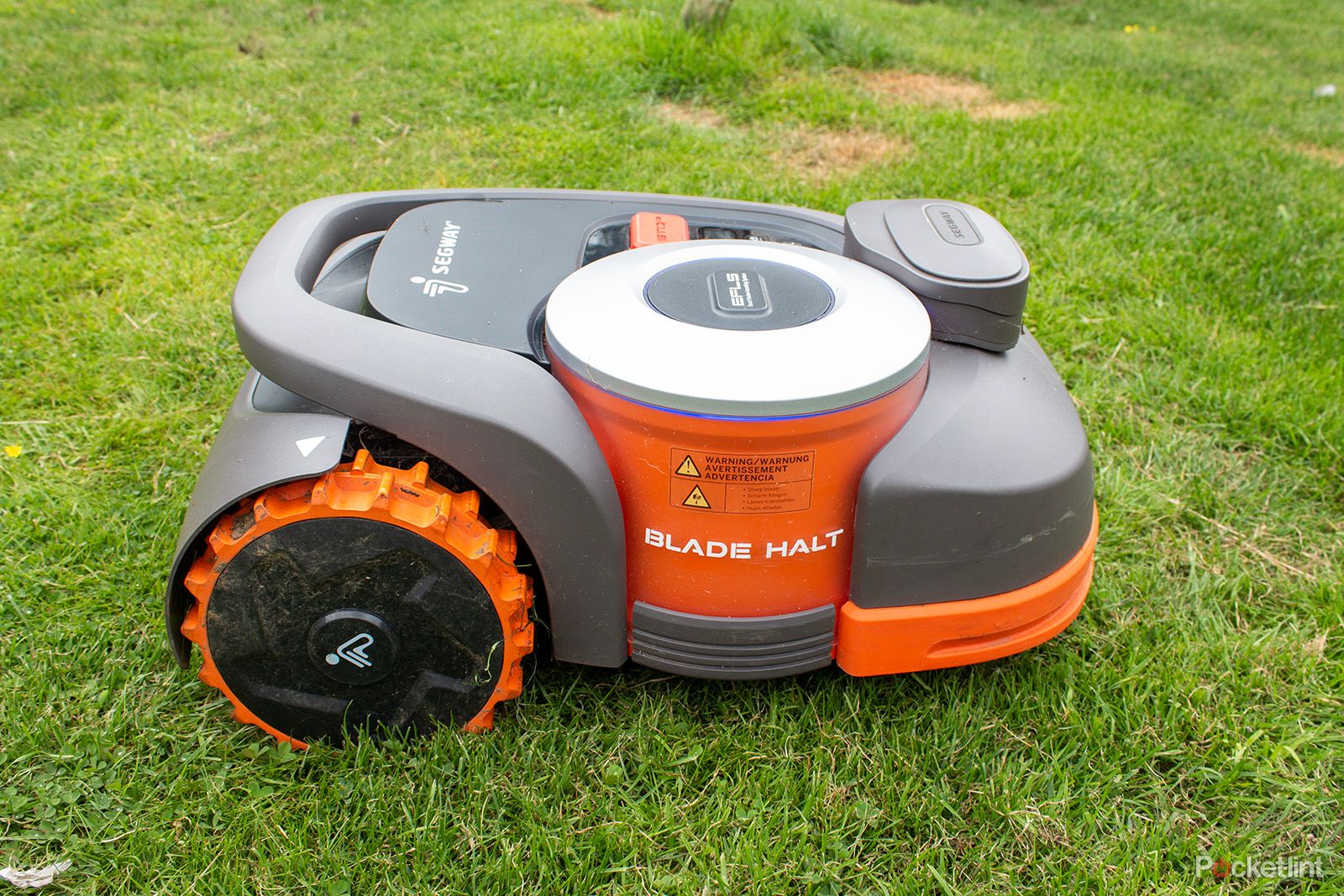
How to Turn Off a Segway Navimow Step by Step
1. Stop the mower
Press the large STOP button on the top of the Navimow. This should stop mowing and bring the mower to a halt.
If the mower is near a person, pet, vehicle, road, pool, or other hazard, move people and pets away before doing anything else.
2. Wait for movement to stop
Wait until the wheels and cutting blades stop moving. Do not assume that the mower is safe to handle just because it has stopped driving.
The STOP button is designed to interrupt operation. It does not always mean that the mower has fully powered down.
3. Press and hold the Power button
Find the mower’s Power button. On many Navimow models, it is near the control buttons on the top of the mower.
Press and hold the Power button for approximately 4 seconds. The screen, indicator lights, or status sounds should show that the mower is shutting down.
4. Confirm that the mower is off
A powered-off mower should no longer show its normal operating display. It should not drive, mow, or respond as if it is ready to cut.
If the mower remains on, repeat the long press. Use a firm, steady press rather than several quick taps.
5. Move or service the mower only after shutdown
Once the mower is off, use its approved handle or lifting points. Keep the mower level when possible.
If you are cleaning underneath the mower or checking the blades, avoid placing your fingers near the cutting disk. Use gloves and a brush or tool instead of your hands.
How to Stop Navimow Without Turning It Off
If you only want to pause mowing, press the STOP button. You may not need to shut down the mower.
A pause can make sense when you need to:
- Move a toy or garden tool from the lawn
- Let a person or pet pass
- Check the boundary area
- Wait for rain to pass
- Clear a small obstruction
- Confirm the mower’s location
After a pause, the mower may require a PIN, a button press, or an instruction in the Navimow app before it resumes. This behavior can differ by model, firmware, safety setting, and the reason for the stop.
Do not rely on pause mode when transporting or servicing the mower. Use a full shutdown for those tasks.
How to Turn Off Navimow From the App
Some Navimow models and software versions may offer a remote power or shutdown command in the Navimow app. The menu name can change after an app or firmware update.
To check:
- Open the Navimow app in the United States.
- Select the correct mower.
- Open the mower controls or settings.
- Look for a command such as Power Off, Shut Down, or a similar option.
- Follow the on-screen instructions.
- Confirm that the mower has stopped before approaching it.
The app is useful when the mower is away from you, but it should not replace the physical STOP button during an immediate safety problem. If the mower is moving near a person, animal, or hazard, press STOP on the mower when it is safe to do so.
If the power-off command is missing, update the app only when convenient and check the manual for your exact model. Do not assume that every Navimow model has the same remote controls.
What to Do If the Navimow Will Not Turn Off
If your Segway Navimow does not shut down, work through these checks in order.
Press STOP again
Press the STOP button firmly. Wait for the mower to stop moving before trying the Power button.
Hold the Power button longer
Press and hold the Power button for about 4 seconds. A quick tap may not start the shutdown process.
If nothing changes, keep the mower still and check the model-specific instructions. Button functions can vary across Navimow product lines.
Move the mower away from the charging station
If the mower is docked, remove it from the charging station only if it is safe to do so. Make sure the mower is not caught on the dock, boundary area, or another object.
Do not pull hard on the mower or charging contacts.
Check the display and error code
Look for a message, warning symbol, or error code. Record the code before restarting the mower. This information can help Segway support identify the problem.
Avoid guessing at a repair based only on a general error description.
Use a normal restart only when safe
If the mower is stopped and no one is near the blade area, follow the model’s restart instructions. Do not repeatedly force the mower on and off.
If the controls do not respond, contact Segway Navimow support. A stuck button, software fault, battery issue, or electrical problem may need service.
Do not disconnect internal wiring
Do not open the battery compartment or disconnect internal cables to force a shutdown. The battery and electrical parts can create injury, fire, or warranty risks.
Navimow Emergency Stop vs. Power Off
The STOP button and Power button have different jobs.
| Control | Main purpose | When to use it |
|---|---|---|
| STOP button | Stops mowing and movement | Immediate stop or short pause |
| Power button | Shuts down the mower | Transport, cleaning, inspection, or storage |
| Navimow app | Provides remote control on supported models | Normal remote operation |
| Main power switch, if fitted | Isolates mower power on certain designs | Follow the exact model manual |
Use the STOP button first when there is an immediate danger. After the mower stops, use the Power button if you need a complete shutdown.
A mower that has stopped moving is not automatically safe to lift. Treat the cutting system as active until the mower is fully powered off.
How to Turn Off Navimow Before Cleaning
Turn off the mower before cleaning grass, mud, or debris from its body or underside.
- Press STOP.
- Press and hold the Power button until the mower shuts down.
- Move the mower to a stable, clear surface.
- Keep water away from charging contacts, openings, and electrical parts.
- Use a soft brush or cloth to remove debris.
- Do not touch the cutting blades with bare fingers.
- Check the owner’s manual before using water or a hose.
Never clean beneath the mower while the blades can still start. Also, do not turn the mower over while it is powered on.
How to Turn Off Navimow for Transport
Before carrying a Navimow:
- Stop the mower with the STOP button.
- Power it off.
- Confirm that the wheels and blades are no longer moving.
- Lift it with both hands or use the specified handle.
- Keep the blade disk pointed away from your body.
- Secure the mower during vehicle transport.
- Prevent the mower from sliding or rolling.
Do not carry the mower by the bumper, charging contacts, antenna, or other parts that are not designed as handles.
If you are transporting the mower for service, include the model name and any error code. Do not ship or transport a damaged battery without following the carrier and manufacturer rules.
How to Turn Off Navimow for Winter Storage
For long-term storage in the United States, follow the storage instructions for your exact Navimow model. In general, the process includes:
- Clean and dry the mower.
- Turn it off fully.
- Charge the battery to the level stated in the manual.
- Store the mower indoors in a dry, protected place.
- Keep it away from heat, flames, moisture, and direct sun.
- Store the charging station and accessories as directed.
- Check the battery from time to time if the manual requires it.
Do not store a lithium-ion battery in extreme heat or freezing conditions unless Segway specifically permits it. Battery storage rules can affect battery life and safety.
The charging station may need separate preparation. Turning off the mower does not always turn off the charging station or its power supply. If you want to remove power from the station, follow the station’s instructions and disconnect it safely.
Common Mistakes When Turning Off a Navimow
Mistake 1: Pressing STOP and assuming the mower is off
STOP usually ends movement. It may not fully shut down the mower.
Better approach: Press STOP, then hold the Power button when you need a complete shutdown.
Mistake 2: Using the app during an immediate hazard
An app command may depend on a wireless connection. A delay or connection problem can occur.
Better approach: Use the physical STOP button first when the mower is close to a person, pet, or hazard.
Mistake 3: Lifting the mower too soon
The mower can stop driving while parts remain active.
Better approach: Wait for movement to stop and power the mower off before lifting it.
Mistake 4: Holding the wrong button
Navimow control layouts differ by model. Holding a different button may start another function or do nothing.
Better approach: Check the button label and the manual for the exact model.
Mistake 5: Turning off power during a firmware update
Interrupting an update may cause software problems.
Better approach: If the mower is updating and no safety issue exists, allow the update to finish. If there is a danger, press STOP and follow the support instructions.
Mistake 6: Forcing a shutdown by opening the mower
Removing covers or disconnecting wires can create safety and warranty problems.
Better approach: Contact Segway Navimow support or an authorized service provider.
Does Turning Off Navimow Cancel the Mowing Schedule?
A normal power-off usually stops the current operation. It does not necessarily delete the mowing schedule, map, or settings.
When you power the mower back on, it may follow its saved schedule after the required checks. The exact behavior can depend on the model, app version, firmware, battery level, and reason for shutdown.
If you do not want the mower to run later, also disable or change its schedule in the Navimow app. Turning off the mower is not the same as changing the mowing plan.
Does Navimow Need to Be Turned Off While Charging?
Do not interrupt charging unless the owner’s manual tells you to do so. A mower may show a charging state while docked, and some controls may work differently in that state.
If you need to clean, move, or inspect the mower:
- Stop the mower.
- Remove it from the charging station if needed.
- Turn it off.
- Confirm that it is safe to handle.
Do not pull on the charging cable. Keep the station and contacts clean and dry.
Model and Firmware Differences
Segway has released several Navimow product families for the U.S. market. The position of the Power button, display behavior, app controls, PIN prompts, and shutdown steps may vary.
Use the instructions printed in the manual for your mower’s exact model. Check the model label, product box, app device page, or support record before applying a model-specific instruction.
The most reliable general rule is:
STOP first for safety. Hold Power to shut down. Confirm that the mower is fully off before handling it.
When to Contact Segway Navimow Support
Contact Segway support if:
- The STOP button does not stop the mower.
- The mower keeps moving after a shutdown attempt.
- The Power button does not respond.
- The mower becomes unusually hot.
- You smell smoke or burning.
- The battery appears swollen, cracked, or damaged.
- The mower shows a repeated electrical or battery error.
- The mower restarts without a clear command.
- Water has entered the electrical parts.
- The mower was involved in a collision or fall.
Move away from smoke or fire. Do not open or repair a damaged battery. If there is an immediate fire or electrical emergency, call 911 in the United States.
Have the following details ready for support:
- Exact Navimow model
- Serial number
- App and firmware version, if shown
- Error code
- What happened before the problem
- Whether the mower was charging, mowing, or docked
Frequently Asked Questions
How long do I hold the Navimow Power button?
On many Navimow models, hold the Power button for about 4 seconds. The exact time and button response can vary by model and firmware, so check the matching owner’s manual if the mower does not shut down.
Can I turn off Navimow with the STOP button?
The STOP button stops the mower, but it may not fully power it off. Use the Power button for a complete shutdown before cleaning, carrying, inspecting, or storing the mower.
How do I stop Navimow immediately?
Press the physical STOP button on the mower. Keep people and pets away, and wait until the mower stops moving. Do not lift it until it is fully powered off.
Why will my Navimow not turn off?
Possible causes include a short button press, a software fault, an active update, a charging-state issue, or a hardware problem. Press STOP, hold Power for about 4 seconds, check the display for an error, and contact Segway support if the controls remain unresponsive.
Will turning off Navimow erase the map?
A normal shutdown should not erase the saved map or mowing schedule. Avoid factory reset commands unless you intend to remove settings. Check the app after restarting if the map or schedule does not appear.
Can I turn Navimow off from the app?
Some models and software versions may provide a remote power-off command. Open the mower controls in the Navimow app and check for a shutdown option. Use the physical STOP button for an immediate safety stop.
Final Checklist
Before handling your Segway Navimow, confirm:
- The mower has stopped moving.
- The cutting blades have stopped.
- The Power button has been held long enough to shut the mower down.
- The display or status lights show that it is off.
- No person or pet is near the mower.
- The mower is safe to lift, clean, inspect, or store.
For most U.S. Navimow owners, the correct sequence is simple: press STOP, hold Power for about 4 seconds, and verify the mower is off. When that sequence fails, stop troubleshooting and use the exact model manual or Segway Navimow support.
Official Sources to Check
- Segway Navimow United States Support
- Segway Navimow Support Center
- The owner’s manual supplied with your exact Navimow model
- The Navimow app’s model-specific help and firmware instructions