
How To Set Up A Robot Lawn Mower: Easy Guide
To set up a robot lawn mower in the United States, choose a suitable mowing area, install the charging station, create a boundary with wire or GPS, connect the mower to its app, and test the system before scheduling automatic cuts. Always follow the manual for your exact model, especially for slopes, wire spacing, electrical setup, and weather limits.
Unlike a traditional mower, a robotic mower needs a map or boundary that tells it where to work. A careful setup helps it avoid flower beds, ponds, driveways, fences, pets, and other hazards.
What You Need Before You Start
Before installing a robot lawn mower, check the yard, gather the required parts, and confirm that the mower fits your lawn.
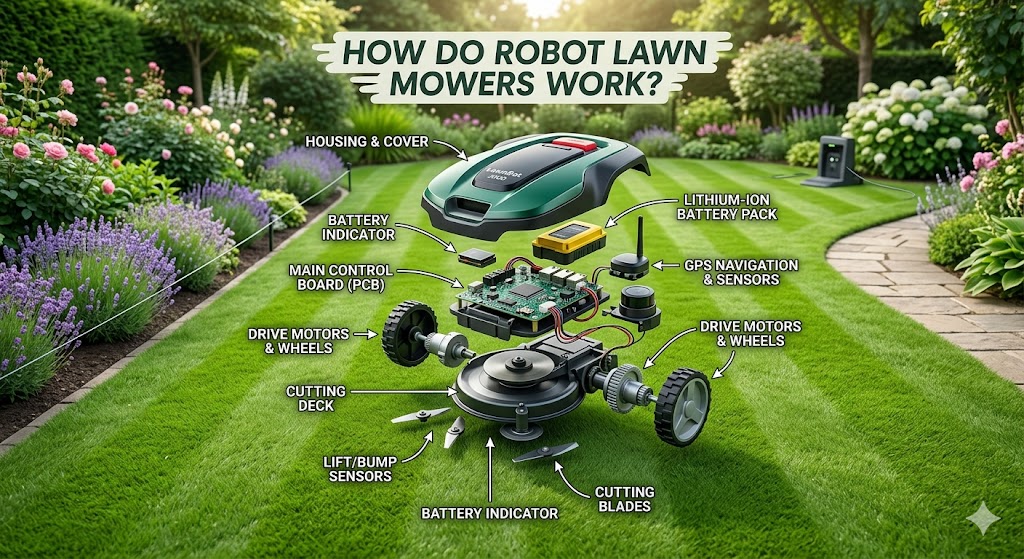
Most models include:
- Robot mower
- Charging station
- Power supply and low-voltage cable
- Boundary wire and wire connectors, if required
- Ground stakes or wire pegs
- Charging contacts or station ramp
- Blades and blade screws
- Setup guide or owner’s manual
- Mobile app, if the mower uses one
You may also need a hammer or mallet, tape measure, scissors or wire cutters, a shovel or edging tool, a level, and weatherproof cable protection.
Check the lawn first
Walk through the full mowing area. Look for:
- Steep slopes
- Holes, roots, and soft ground
- Standing water
- Drop-offs
- Children’s toys
- Dog waste
- Low branches
- Garden hoses
- Loose gravel
- Mulch, bark, and deep sand
- Narrow gates or passages
- Separate grass areas
Measure the lawn if the manufacturer lists a maximum cutting area. Do not assume that the full size of your property equals the grass area. Houses, patios, driveways, planting beds, and pools reduce the usable mowing area.
A mower rated for a certain lawn size may also need extra time for slopes, divided zones, rain delays, and charging. Treat the stated area as a guide, not a promise of equal results in every yard.
Check the power location
The charging station needs a stable power source. Choose a flat area with enough room for the mower to approach and leave the station.
The outlet should be:
- Close enough for the power cable
- Suitable for outdoor use
- Protected from direct rain and flooding
- Compatible with the mower’s power supply
- Installed according to local electrical rules
Use a GFCI-protected outdoor circuit where required by local code and the manufacturer’s instructions. Do not bury or extend low-voltage cables unless the manual allows it and the cable is protected correctly.
Confirm the mower’s boundary system
Robot lawn mowers usually use one of three systems:
| Boundary system | How it works | Main setup need |
|---|---|---|
| Perimeter wire | A wire creates an electronic boundary | Lay and connect wire around the mowing area |
| GPS or satellite mapping | The mower uses positioning signals and a digital map | Drive the mower around the property or map it with an app |
| Vision, radar, or other sensors | Sensors help detect lawn edges and objects | Follow the model’s mapping and sensor setup |
Some mowers use more than one method. A GPS mower may still need physical markers, a mapped edge, or a short boundary wire in places where satellite signals are weak.

Plan the Mowing Area and Boundaries
The best setup starts with a simple map. Mark the lawn, no-go areas, narrow passages, and charging station before you place wire or begin digital mapping.
Divide the yard into zones
Identify:
- The main lawn
- Side yards
- Front-yard sections
- Narrow corridors
- Sloped sections
- Areas the mower must avoid
- Separate lawns with no grass connection
A robot mower may not travel between separate lawns by itself. If a walkway, driveway, curb, or gate separates two areas, the mower may need to be carried to the second zone. Some models support multiple zones through the app; others require manual zone changes.
Mark obstacles
Create a physical or digital boundary around:
- Flower beds
- Trees with exposed roots
- Ponds and pools
- Vegetable gardens
- Swing sets
- Fire pits
- Outdoor furniture
- Gravel
- Decorative rock
- Steep edges
- Areas where the mower could become trapped
Do not rely on the mower’s collision sensor to protect every object. Sensors may detect a large solid object, but they may not reliably detect a small toy, a flexible hose, a low wire, or a pet.
Plan narrow passages carefully
Narrow corridors often cause setup problems. Measure the gap between fences, walls, and planting beds. Then compare it with the minimum passage width in the manual.
A mower may fit through a passage but still fail to navigate it if:
- The boundary wires are too close together
- The surface is uneven
- The mower cannot turn
- The passage has a sharp bend
- Satellite signals are blocked
- The mower loses contact with the boundary
If the passage is too narrow, treat that lawn as a separate zone unless the manufacturer documents another method.
Understand boundary wire spacing
Boundary wire distances vary by model. The correct distance may change near a drop-off, wall, fence, pond, driveway, or flower bed.
Use the supplied ruler or setup guide. Do not copy a spacing number from another brand. A few inches can change whether the mower cuts close to an edge, crosses the boundary, or leaves an uncut strip.
Install a Boundary-Wire Robot Mower
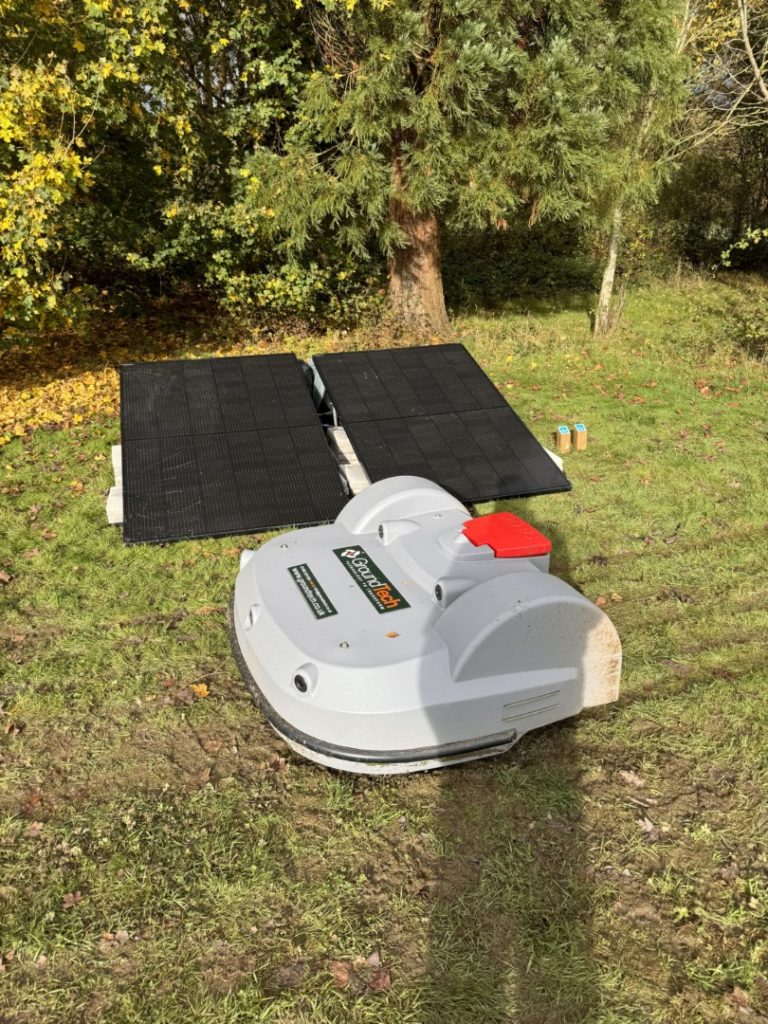
If your model uses perimeter wire, install the wire as one continuous loop unless the manual shows a different design.
Step 1: Position the charging station
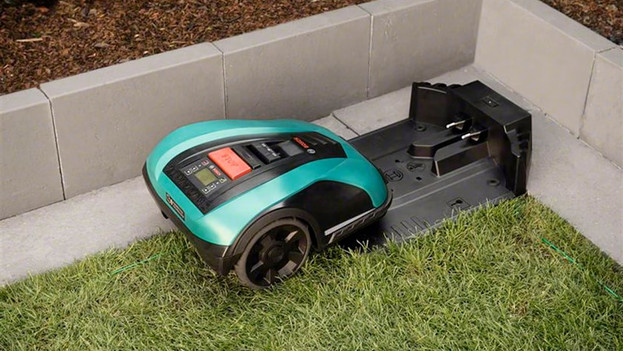
Place the station on firm, level ground. Leave the straight approach and exit space required by the manual.
The station should usually be:
- Easy for the mower to reach
- Away from regular foot traffic
- Protected from frequent flooding
- Near the center or a practical edge of the mowing area
- Close enough to the power outlet
- Positioned so the mower can leave without hitting a wall or obstacle
Use the station’s alignment marks. A charging station that is slightly crooked may still work, but poor alignment can cause failed docking.
Do not connect power yet if you are still installing the wire. This reduces the chance of accidental starts while you work.
Step 2: Lay the boundary wire
Start at the charging station and follow the planned route around the lawn. Keep the wire flat against the ground or install it at the depth stated in the manual.
Use stakes often enough to prevent loops and raised sections. Leave no loose coils where the mower could catch a wheel or blade.
At corners, make smooth turns rather than sharp loops. The wire should form a clear path with no accidental crossings unless the manufacturer specifically allows a crossing.
Step 3: Create islands around obstacles
To exclude a flower bed or tree, run the wire from the main boundary to the obstacle, around it, and back along the same route. The outward and return sections normally cancel the signal, allowing the mower to cross that short section without treating it as a forbidden area.
The exact island method varies. Some systems require a special connector or a minimum distance between the two wire runs. Follow the manual for the model.
Avoid making small islands that leave no room for the mower to turn. A mower can enter a legal area and still become stuck if the island creates a narrow pocket.
Step 4: Connect the wire to the station
Return both ends of the boundary wire to the charging station. Connect each end to the correct terminal.
Keep connectors dry and secure. Use the supplied waterproof connectors or a connector rated for the intended outdoor use. A loose or wet connection can cause an open-loop error.
Step 5: Secure and inspect the loop
Walk the entire boundary. Check for:
- Loose wire
- Sharp wire bends
- Crossed sections
- Damaged insulation
- Exposed connectors
- Wire near a mower wheel drop-off
- Unprotected cable across a walkway
- Gaps around obstacles
Do not place the wire where a mower blade, edger, or aerator can cut it. If you bury it, record the route with photos or a sketch. This will help when you repair a damaged section later.
Step 6: Power up and test
Connect the power supply after the wire is installed. The charging station should display a normal status light or message.
Place the mower in the station and let it charge. Then use the manual test mode or a short supervised mowing session.
Watch the mower at:
- The charging station
- Every corner
- Narrow passages
- Boundary crossings
- Islands
- Slopes
- Areas near hard edges
If the mower crosses the boundary, stop it and correct the wire before normal use.
Set Up a GPS or Wire-Free Robot Mower
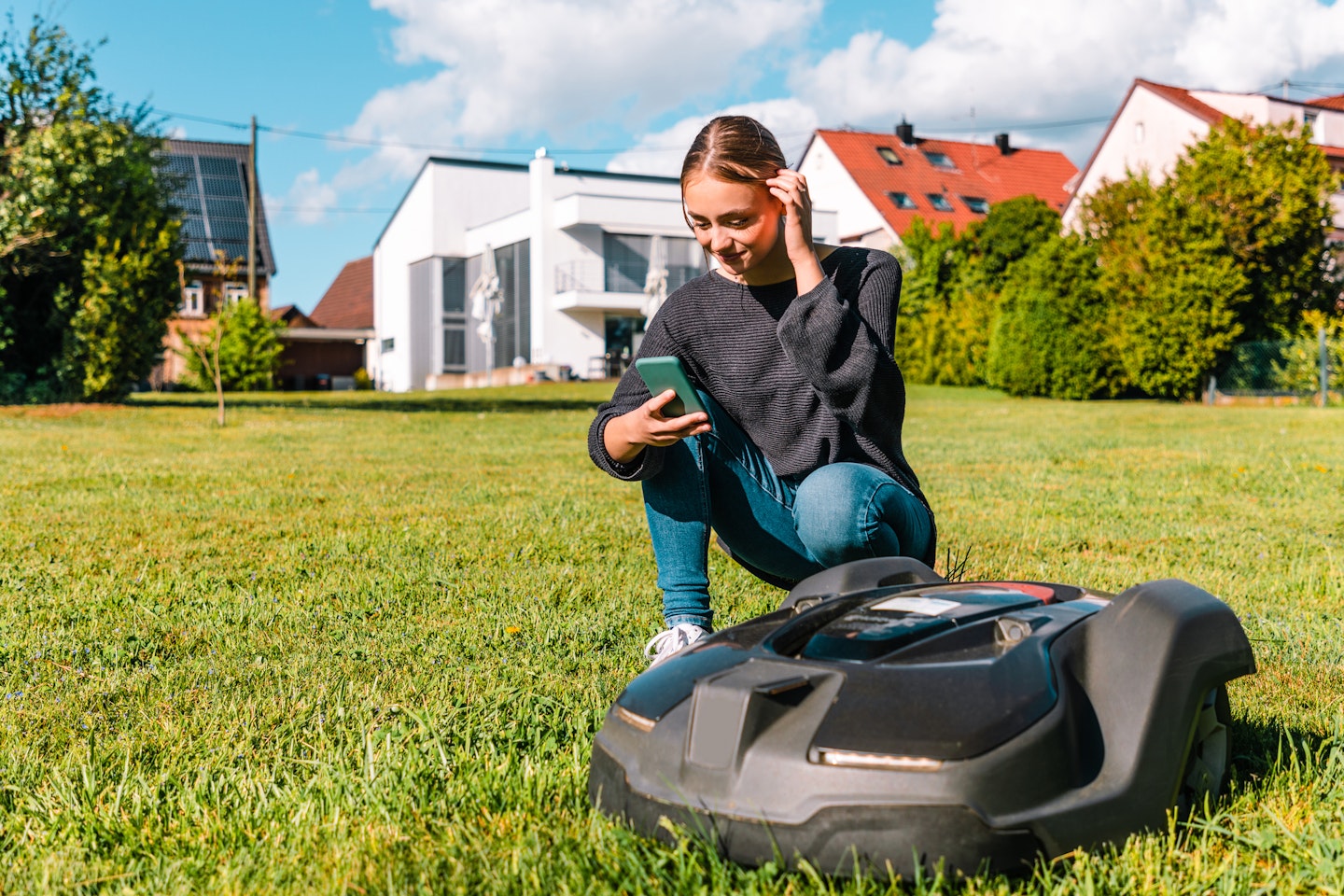
Wire-free models still need a carefully planned map. They may use GPS, cellular data, Bluetooth, cameras, radar, or other sensors. Setup steps differ more between models than they do with basic boundary-wire systems.
Step 1: Install the station and reference equipment
Some models need a clear view of the sky. Others use a separate reference antenna or positioning unit.
Follow the instructions for:
- Antenna height
- Antenna location
- Distance from tall buildings
- Network connection
- Cellular activation
- Bluetooth pairing
- Firmware updates
- Charging-station alignment
Tall buildings, dense trees, metal structures, and covered areas can reduce positioning accuracy. A mower may work well in an open back yard but struggle beside a tall house or under dense trees.
Step 2: Install the app
Download the manufacturer’s official app from the Apple App Store or Google Play. Create an account only if the system requires one.
During setup, the app may request access to:
- Bluetooth
- Location
- Wi-Fi
- Cellular data
- Notifications
- Camera access for scanning a code
Review the app’s permissions and privacy information. Keep the mower and app updated, but do not update firmware during an active mowing session.
Step 3: Map the lawn
Use the mapping method described by the manufacturer. This may involve walking the mower around the edge, driving it with a remote control, or guiding it from the app.
Map slowly around:
- Lawn edges
- Trees
- Garden beds
- Pools
- Drop-offs
- Narrow sections
- Temporary no-go zones
Do not map over a surface that the mower cannot safely cross. If the lawn is separated by a road, public sidewalk, retaining wall, or steep drop, create separate zones or carry the mower.
Step 4: Add no-go areas
Create no-go zones around objects the mower must avoid. Check the map from above and from the mower’s ground-level view.
A digital line may not prevent the mower from reaching a low pond edge if the map is inaccurate. Keep a physical margin near hazards, especially when the mower uses positioning signals that may drift.
Step 5: Test the map
Start with a supervised run. Confirm that the mower:
- Stays inside the mapped lawn
- Reaches each intended zone
- Avoids no-go areas
- Returns to the station
- Does not stop under trees or beside walls
- Handles narrow areas without repeated turns
Correct the map before setting a full schedule. Digital changes are easier to make before grass, weather, and obstacles complicate the test.

Pair the Mower, Set the Schedule, and Adjust Cutting Height
After the mower can navigate safely, connect it to the app and set a conservative schedule.
Pair the mower with the app
Typical pairing steps include:
- Turn on the mower.
- Open the official app.
- Add a new mower.
- Scan the mower’s code or select its Bluetooth signal.
- Connect it to Wi-Fi or cellular service if supported.
- Install available firmware updates.
- Set the time zone and region.
- Create a PIN if the model supports one.
- Confirm the map or boundary.
Use a strong account password and enable multi-factor authentication when available. Do not share the mower’s PIN with children.
Set a sensible mowing schedule
Robot mowers usually cut small amounts of grass at regular intervals. Begin with short supervised sessions rather than a full-day schedule.
A practical starting plan is:
- Mow only during daylight at first.
- Avoid times when children and pets use the yard.
- Allow more time for a large or divided lawn.
- Pause mowing during heavy rain if the manual advises it.
- Avoid wet soil that may cause ruts.
- Keep the mower away from expected lawn treatments until the product label allows people and pets to return.
Many mowers can run at night, but night operation may increase the risk of contact with wildlife or reduce your ability to spot a problem. Follow the mower’s safety guidance and your local conditions.
Choose the cutting height
Set the mower at the highest practical height for the first cut. Lower the height in small steps over several mowing cycles.
Removing too much grass at once can stress the lawn and increase clumps. The correct height depends on the grass type, season, shade, irrigation, and local climate. A local extension service can help identify common turf recommendations for your state.
Test the Setup Before Regular Use
A robot lawn mower is ready for routine use only after it passes a supervised test.
Signs of a successful setup
The mower should:
- Start from the station
- Follow the boundary or map
- Avoid no-go areas
- Cross approved passages
- Cut without repeated stops
- Return to the charger
- Dock with the charging contacts aligned
- Report a normal status in the app
- Complete the planned session without blade or wheel errors
Watch at least one full route around the yard. A mower that works on the first straight run may still fail at a corner, slope, or narrow gap.
Check the lawn after the first few sessions
Look for:
- Missed strips
- Wheel tracks
- Scalped grass
- Repeated turning marks
- Damage near lawn edges
- Wire exposure
- Soil ruts
- Areas where the mower gets stuck
Move the boundary or edit the map if needed. Add a no-go area for places that become muddy or unsafe after rain.
What to do if the mower fails
Stop the mower before touching the blades, wheels, wire, or underside. Use the power switch, emergency stop, or removal procedure in the manual.
Then check the most likely cause:
| Symptom | Likely causes | First checks |
|---|---|---|
| Mower will not leave the station | Poor contact, low battery, blocked exit | Clean contacts; check station alignment and exit path |
| Boundary error | Broken wire, loose connector, wrong terminal | Inspect connectors and test the loop as directed |
| Mower crosses the boundary | Incorrect wire spacing, crossed wire, mapping error | Stop the mower; inspect the nearest boundary section |
| Mower misses a zone | Zone not connected or map incomplete | Recheck the passage and zone settings |
| Mower gets stuck | Hole, slope, tight corner, soft soil | Level the area or create a no-go zone |
| App cannot connect | Bluetooth, Wi-Fi, cellular, or account issue | Check permissions, signal, and the manufacturer’s service status |
| Mower docks poorly | Station not level or approach blocked | Re-level the station and clear the approach |
| Grass looks torn | Dull or damaged blades, wet grass, low height | Replace blades as directed and raise the cutting height |
If a wire fault remains after visual checks, use the manufacturer’s boundary tester or multimeter procedure. Do not guess by joining wires with ordinary tape.

Maintain the Robot Lawn Mower Safely
Routine maintenance protects the mower and keeps the cut even.
Before cleaning or replacing blades:
- Stop the mower.
- Disconnect it from charging power if the manual requires this.
- Remove the key or disable the mower.
- Wear gloves.
- Keep fingers away from sharp blades.
- Follow the manufacturer’s cleaning method.
Never turn a powered mower over while the blade system can operate.
Regular tasks include:
- Clean grass from the wheels and underside.
- Check the blades for wear or damage.
- Replace blades and screws at the interval in the manual.
- Inspect the boundary wire and connectors.
- Clean the charging contacts.
- Check the station for mud and debris.
- Inspect the power cable for damage.
- Keep the software and app current.
- Store the mower according to the temperature and battery instructions.
Do not spray water into vents, charging contacts, motors, or electronic housings unless the manual says that cleaning method is safe.
During storms, flooding, extreme cold, or long periods without mowing, move the mower and power equipment as directed by the manufacturer. Lithium-ion batteries need special care. Use only the approved charger and store the battery within the stated temperature range.
Common Setup Mistakes to Avoid
The most common robot lawn mower problems come from planning errors rather than a defective mower.
Installing the station on an uneven surface
An uneven station can prevent reliable docking. Level the base before securing it.
Leaving wire loops above the grass
A raised loop can catch a wheel or cutting blade. Press the wire down, stake it securely, or bury it at the approved depth.
Mapping hazards too closely
Leave a safe margin around ponds, retaining walls, stairs, and drop-offs. Positioning drift and wheel movement can carry the mower beyond the exact digital line.
Assuming sensors replace supervision
Sensors can miss small, soft, low, or unusual objects. Remove toys, hoses, clothing, and pet items before mowing.
Running the mower on wet soil
Even when the mower is weather-resistant, wet soil can create ruts. Wet grass can also cling to the deck and reduce cutting quality.
Cutting too low too soon
A robot mower works best when it trims small amounts often. Start high and lower the deck gradually.
Ignoring pets and wildlife
Keep pets away during early tests. Check the yard for wildlife, especially if the mower runs at night. The U.S. Consumer Product Safety Commission provides general lawn-mower safety information, but your mower’s manual controls the model-specific procedure.
Frequently Asked Questions
Can I install a robot lawn mower myself?
Yes, many homeowners can install one if the yard is simple and the manual provides clear instructions. A professional may help with large properties, complex wire layouts, steep slopes, buried utilities, difficult electrical work, or persistent GPS problems.
Does a robot lawn mower need Wi-Fi?
Not always. Some models use Bluetooth during setup, some use cellular service, and boundary-wire models may mow without an internet connection. Wi-Fi or cellular access may be needed for remote control, notifications, maps, or software updates.
How long does robot lawn mower installation take?
A simple wire-free setup may take a few hours. A boundary-wire installation can take longer because you must plan, place, secure, connect, and test the full loop. Time depends on lawn size, obstacles, separate zones, and the chosen installation method.
Can a robot lawn mower cross a driveway?
Only if the model and driveway design support it. A mower should not cross a public road or an unsafe driveway without a documented method and supervised testing. Many owners create separate mowing zones instead.
Can a robot lawn mower work on hills?
Some can, but the safe slope limit is model-specific and may change with wet grass, loose soil, and the direction of travel. Check the manual’s slope rating. Do not use a mower on a slope near a drop-off unless the boundary system provides a safe margin.
Final Setup Checklist
Before enabling automatic mowing, confirm that:
- The mower matches the lawn size and terrain.
- The charging station is level and protected.
- The power supply and outdoor cable are safely installed.
- The boundary wire or digital map is complete.
- No-go areas cover hazards.
- Narrow passages meet the model’s requirements.
- The mower returns to the station.
- The app shows the correct map and time zone.
- The cutting height is suitable for the grass.
- Children and pets are away during testing.
- The mower has passed a supervised run.
- You know how to stop and disable it quickly.
Start with a short schedule and inspect the lawn after each early session. A careful first setup usually prevents the most frustrating problems later. For model-specific wire spacing, slope limits, weather rules, battery care, and blade replacement, use the current owner’s manual from the manufacturer rather than a generic installation guide.


