
How To Start A Husqvarna Automower: Easy Setup
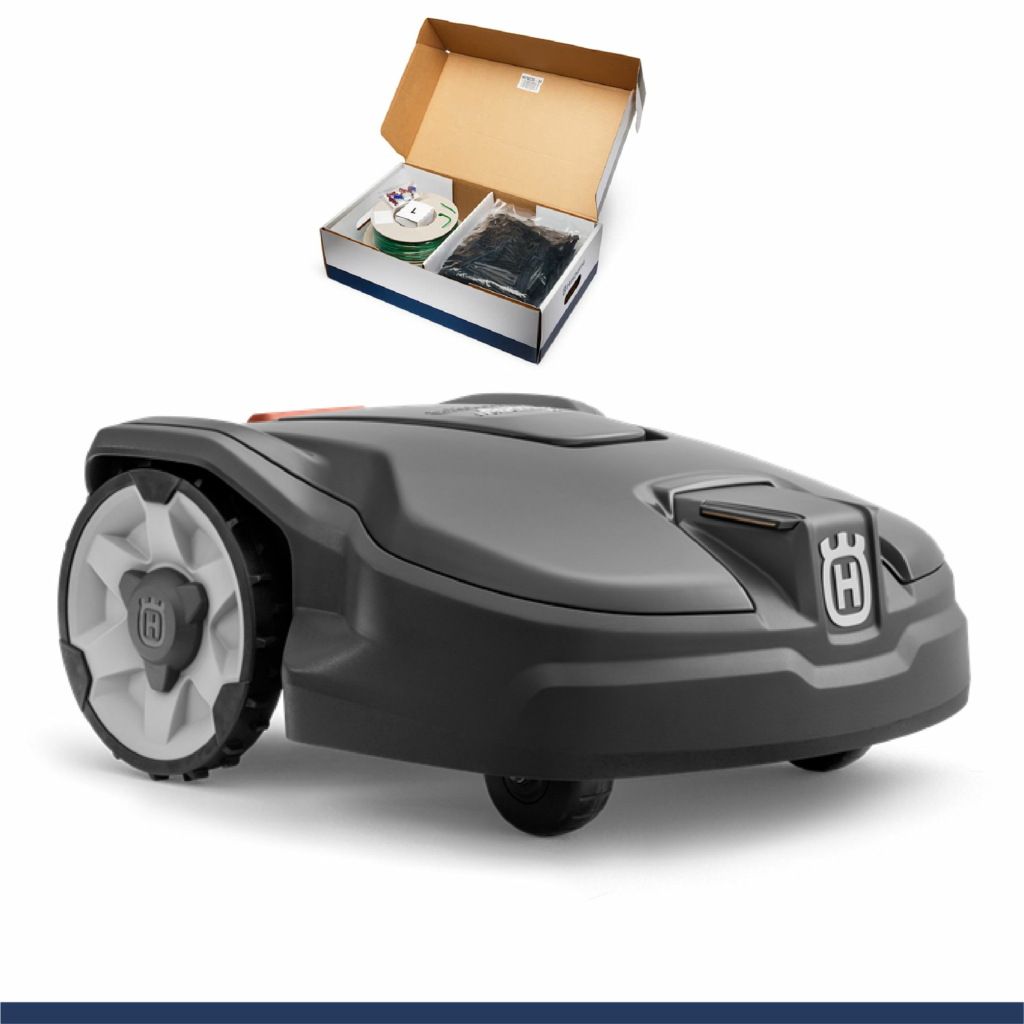
Starting a Husqvarna Automower in the United States usually takes only a few steps: place the mower in its charging station, turn on the main switch, enter the PIN if asked, and press START. Then close the keypad cover or hatch.
The exact buttons can vary by model and software version. The steps below apply to many Husqvarna Automower models sold in the U.S., including models with a keypad, display, or Automower® Connect app. Always use the owner’s manual for your exact model before changing settings or handling the blades.

Before You Start Your Husqvarna Automower
Check four things before you try to start the mower:
- The charging station has power.
- The mower is inside the guide-wire or boundary-wire area.
- The main switch is set to “1” or “ON.”
- The mower has enough battery charge.
The mower may not start if it is outside the installation area, sitting across the boundary wire, blocked by an object, or disconnected from the charging station.
Check the charging station
Look at the charging station and confirm that its power supply is connected. Many models show a green light when the boundary-wire installation is working normally.
A flashing or red light can point to a wire, power, or installation problem. The exact light codes differ by model, so check the display or the manual before moving wires.
Make sure the mower’s charging contacts touch the contacts on the station. If the contacts are dirty, the mower may appear to be in the station but may not charge.
Check the mower’s location
Place the mower on a flat surface inside the mowing area. If possible, start it from the charging station. Starting from the station helps the mower follow its normal route and reduces the chance of a boundary-wire error.
Remove toys, hoses, tools, branches, and other objects from the lawn. Keep people and pets away while the mower is starting and operating.
Find the PIN code
Most Husqvarna Automower models use a personal identification number. The PIN may be required after you turn on the mower, open the control panel, or change certain settings.
If you do not know the PIN, do not guess repeatedly. Check the paperwork supplied with the mower, your account information, or the authorized Husqvarna service provider that set up the machine. A forgotten PIN may require service support.
How to Start a Husqvarna Automower From the Charging Station
Use this method when the mower is already installed and you want it to begin its scheduled mowing routine.
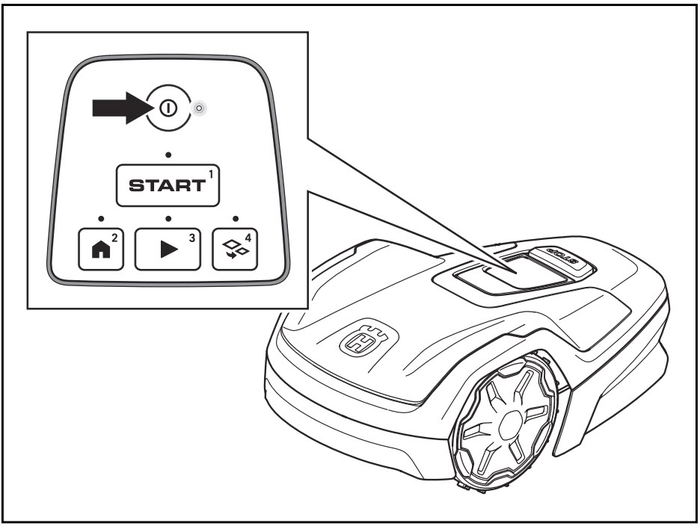
Step 1: Open the control panel or display cover
Press the STOP button if it is raised or active. Open the keypad or display cover so you can reach the controls.
On some models, the control panel is under a small top cover. On others, the mower has a larger display with physical buttons.
Step 2: Turn on the main switch
Find the main power switch. It is usually under the mower’s body or beneath the control-panel cover.
Move the switch to 1 or ON. The mower may take a short time to start up.
Do not place your hands under the mower during this step. The cutting blades can move when the mower receives a start command.
Step 3: Enter the PIN, if requested
If the screen asks for a PIN, enter the correct code with the keypad or display controls.
Some models do not request the PIN every time. Others may request it after the main switch has been turned off, after maintenance, or after a security timeout.
Step 4: Press the START button
Press START. Depending on the model, the display may show choices such as:
- Start now
- Resume schedule
- Start for a set time
- Override schedule
- Park
Choose the option that matches your goal. To let the mower follow its normal calendar, choose Resume schedule or the equivalent option.
Step 5: Close the cover
Close the display or keypad cover. Many Automower models will not operate while the cover is open.
The mower may remain still for a moment. It may leave the station immediately, wait until the programmed start time, or perform a short positioning movement.
Signs that it started correctly
A successful start usually has these signs:
- The display shows an active mowing or scheduled status.
- The mower leaves the charging station.
- The mower travels into the mowing area.
- The blades begin only after the mower reaches a suitable mowing location.
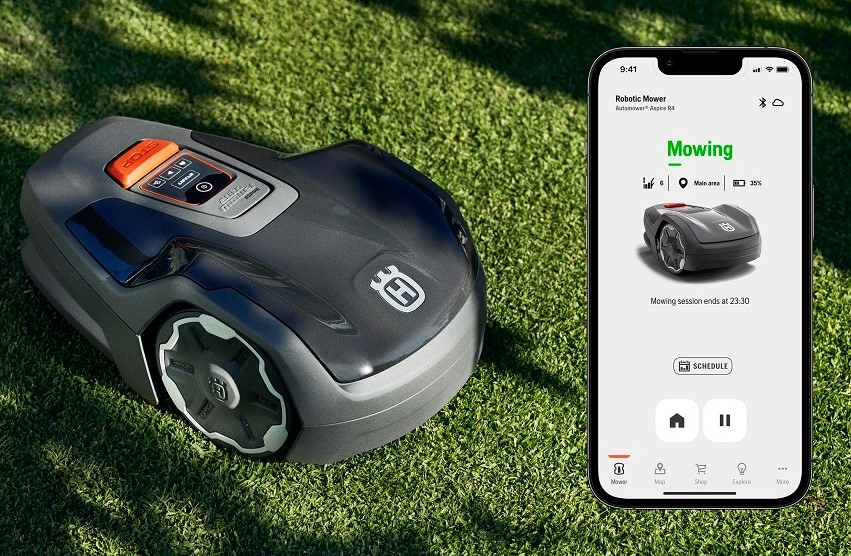
- The app, if connected, shows the mower as active or mowing.
If the mower stays in the station, check whether it is waiting for the schedule rather than showing an error.
How to Start a Husqvarna Automower With the Automower Connect App
The Automower® Connect app can start compatible models from a smartphone. Remote operation depends on the mower model, the installed communication hardware, the app account, and network coverage.
Use the app to start mowing
- Open the Automower Connect app.
- Select the correct mower if more than one mower is linked.
- Check the mower’s status.
- Confirm that the mower is charged or connected to the charging station.
- Select the start command.
- Choose the available option, such as Start now or Resume schedule.
- Confirm the command if the app asks for approval.
The mower may not respond at once. It may need a working cellular or Bluetooth connection, depending on the model and your location.
When remote start does not work
A remote start command may fail when:
- The mower is powered off.
- The battery is too low.
- The mower is outside the installation area.
- The mower has an active alarm.
- The mower is in a blocked or lifted state.
- The app is not connected to the mower.
- The model does not support the requested remote feature.
- A schedule, weather timer, or safety condition prevents operation.
First check the status message in the app. Then inspect the mower in person if the message does not explain the problem.
Never use remote start when a person, child, or pet could be near the mower. Remote operation makes it harder to see the mower’s surroundings before the blades engage.

How to Start an Automower After It Has Been Stopped
If you pressed STOP, the mower normally needs a new start command.
- Make sure the mower is on a safe, level surface.
- Remove any object that may block the wheels or blades.
- Press START.
- Enter the PIN if requested.
- Select Resume schedule or Start now.
- Close the cover.
If the mower was stopped because it hit an object, lift it only after turning the main switch off. Inspect the body, wheels, and blade disc before restarting.
Do not pull the mower by its cutting deck or reach below it while the main switch is on.
How to Start an Automower After Winter Storage
A mower stored during the winter may need more than a normal start command.
Prepare the mower
Before starting it for the season:
- Inspect the mower for damage.
- Clean dry grass from the wheels and underside.
- Check that the charging station is connected to power.
- Inspect visible boundary and guide wires.
- Check the charging contacts.
- Place the mower in the charging station.
- Turn the main switch on.
- Let the battery charge fully or reach the level recommended in the manual.
- Set the correct date and time if needed.
- Review the mowing schedule.
- Start the mower with the keypad or app.
Avoid washing the mower with a pressure washer. Water can damage electrical parts. Follow Husqvarna’s cleaning instructions for your model.
Check the schedule
A mower that appears not to start may simply be outside its mowing schedule. Check the active days and operating times in the mower menu or Automower Connect app.
Also check seasonal settings, frost protection, weather timer features, and any temporary parking command. These settings can keep the mower in the charging station even when no fault exists.
What to Do if Your Husqvarna Automower Will Not Start
Use the display message as your first clue. Then check the safest and simplest causes before moving to wires or internal parts.
| Symptom | Likely causes | First check |
|---|---|---|
| No display or response | Main switch off, empty battery, power issue | Turn the main switch on and place the mower in the station |
| “No loop signal” or similar message | Damaged wire, loose station connection, power problem | Check the station light and visible wire connections |
| Mower stays in the station | Schedule, low battery, charging fault, park command | Review the schedule and charging status |
| Mower stops after leaving station | Blocked path, boundary problem, wheel issue | Clear the route and inspect the wheels |
| PIN requested | Security setting or restart after power-off | Enter the correct PIN |
| “Trapped” or “Outside” message | Mower cannot find a route or crossed the boundary | Move it inside the area and inspect the route |
| Alarm sounds | Lifted, tilted, or unauthorized movement | Follow the display instructions and enter the PIN if required |
If the mower says “No loop signal”
The boundary loop creates the signal that tells the mower where it may operate. A disconnected power supply, loose connector, cut wire, or poor connection can interrupt that signal.
Check:
- The charging station’s power adapter.
- The low-voltage cable.
- The visible boundary-wire connections.
- The station indicator light.
- Recent digging, edging, aeration, landscaping, or storm damage.
Do not randomly reconnect wires without following the installation diagram. If the fault continues, a Husqvarna dealer or qualified installer may need to test the loop.
If the mower says it is trapped
A trapped message can result from a narrow passage, a low branch, a hole, a slope, wet grass, or an object near the boundary.
Move the mower to a clear area. Check whether the wheels turn freely and whether the body or blade disc is blocked. If the mower repeatedly stops in the same place, improve the route or adjust the installation rather than repeatedly restarting it.
If the mower has no power
Place it correctly in the charging station and allow time for the battery to charge. Check that the station has power and that the charging contacts are aligned.
If the mower remains completely unresponsive after charging, turn the main switch off and on only if the manual permits it. Continued failure may indicate a battery, charger, connection, or electronic fault.
Do not open the battery compartment or electrical housing unless the owner’s manual specifically permits the work. Battery and electrical repairs should go to an authorized service provider.
Safe Practices When Starting an Automower
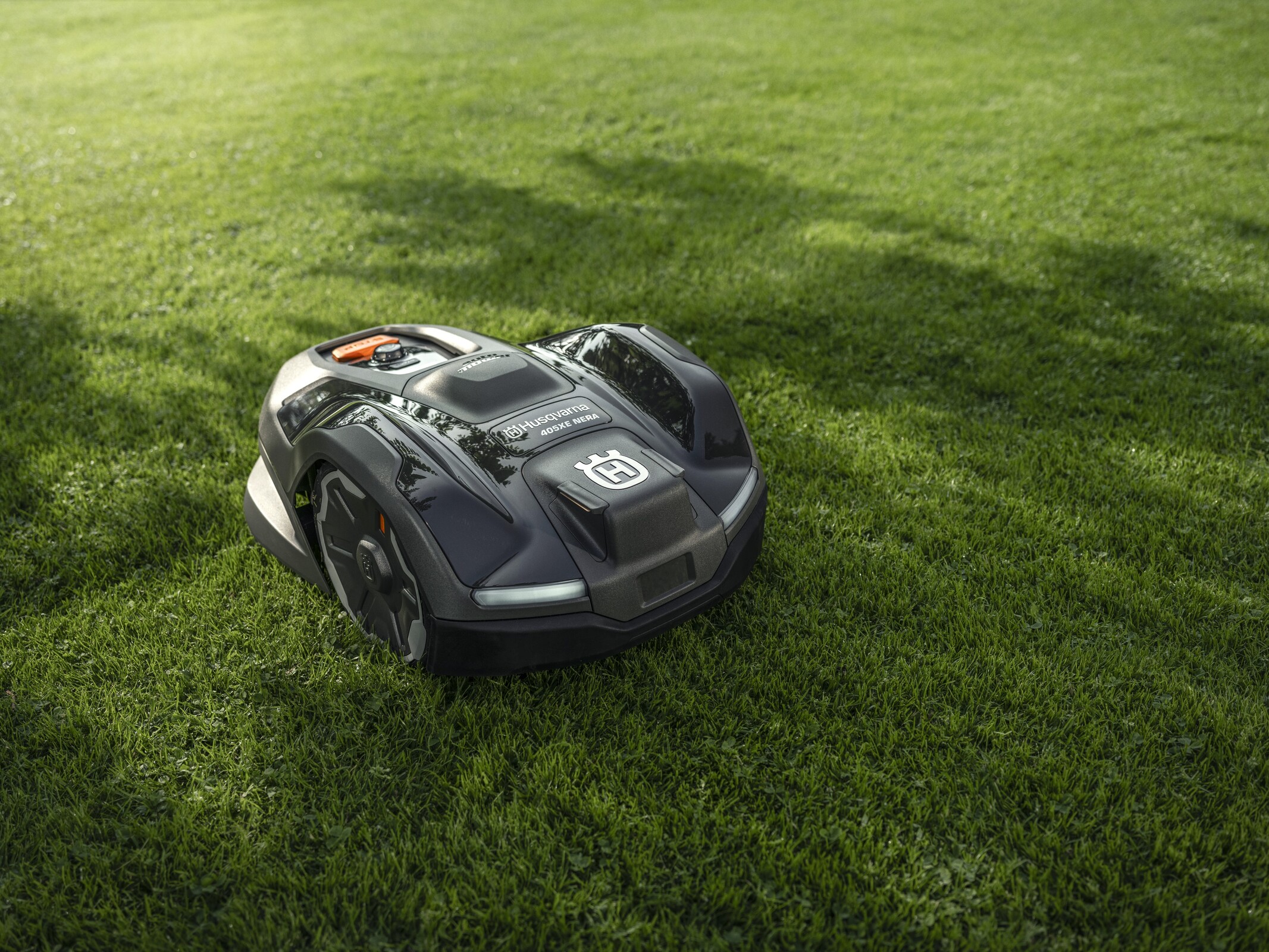
An Automower is designed to operate with limited supervision, but it still has moving blades and electrical parts.
Follow these safety rules:
- Keep children and pets away when starting or servicing the mower.
- Turn the main switch off before lifting, turning over, or inspecting the mower.
- Remove the key or follow the model’s lockout instructions if provided.
- Do not touch the blade disc while it can receive power.
- Wear gloves when handling blades or sharp grass buildup.
- Do not start the mower on a steep or unsafe surface.
- Keep the charging station dry and use the approved power supply.
- Stop the mower before removing an object from the wheels or cutting area.
- Do not bypass alarms, safety switches, boundary systems, or covers.
- Use replacement blades and parts approved for the exact model.
The safest rule is simple: if you need to put a hand near the underside, turn the mower off first and verify that it cannot start.

Key Takeaways
- Start from the charging station when possible.
- Turn the main switch to 1 or ON.
- Enter the PIN if the mower asks for it.
- Press START, then choose Start now or Resume schedule.
- Close the keypad or display cover.
- Check the schedule if the mower remains parked.
- Treat “No loop signal,” “Trapped,” and “Outside” as different problems.
- Turn the main switch off before lifting or inspecting the mower.
Frequently Asked Questions
Why does my Husqvarna Automower not start after I press START?
It may be waiting for its schedule, charging, blocked, outside the mowing area, or showing an active fault. Read the display message and check the app status before trying another start command.
Can I start my Husqvarna Automower without the PIN?
Usually, no. Many models require the PIN for security after startup or when changing certain settings. If you do not know it, use the mower’s records or contact Husqvarna support or an authorized dealer.
Can I start an Automower from my phone?
Compatible models can be started through the Automower Connect app. The mower must be powered on, connected, and free of conditions that prevent operation. App features vary by model and communication system.
Why does my Automower start and then return to the charging station?
A low battery, active schedule, rain or frost setting, charging issue, boundary problem, or fault can cause this behavior. Check the display and charging contacts, then review the schedule and error message.
Should I turn off the mower before cleaning it?
Yes. Turn the main switch off before lifting, turning, or cleaning the mower. Keep hands away from the blade area, and follow the cleaning instructions for your exact model.
Final Checklist
To start most Husqvarna Automower models in the United States:
- Put the mower in the charging station.
- Confirm that the station has power.
- Turn the main switch to 1 or ON.
- Enter the PIN if requested.
- Press START.
- Select Start now or Resume schedule.
- Close the cover.
- Watch for the mower to leave the station.
If it still will not start, use the exact error message to guide the next check. For persistent loop, battery, electrical, or safety faults, stop troubleshooting and contact Husqvarna support or an authorized service provider.


