
Lawn Mower Blade Keeps Hitting Ground: Fix It Fast
A lawn mower blade keeps hitting the ground when the deck is too low, bent, loose, or set on uneven ground.
A lawn mower blade keeps hitting ground for several possible reasons, and the sound should never be ignored. I have seen this problem caused by simple height settings, worn deck parts, bent spindles, and hidden damage after hitting a stump. This guide will help you find the cause, fix it safely, and prevent the problem from returning.
Why a Lawn Mower Blade Keeps Hitting Ground
A mower blade should spin inside the deck with enough space to avoid the soil. When the blade sits too low or the deck moves out of position, it can scrape the ground during normal mowing.
The most common causes include:
• The cutting height is set too low.
• The mower is being used on uneven ground.
• The deck is not level.
• The blade is bent or installed incorrectly.
• The blade adapter or spindle is damaged.
• The deck shell is bent.
• A wheel, bracket, or height adjustment part is loose.
• The mower is overloaded by thick, wet grass.
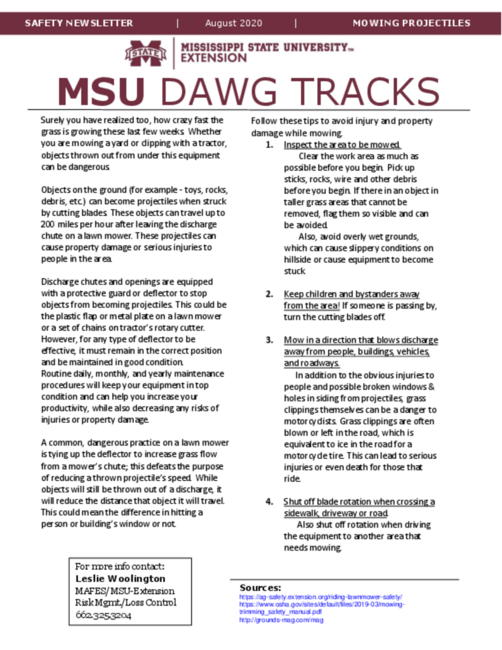
A small scrape can happen when a wheel drops into a hole. However, repeated contact means something needs attention. A blade that keeps hitting ground can damage the blade, spindle, deck, engine, or belt.
Check the Cutting Height First
The cutting height is the easiest thing to check. Most push mowers use a lever near each wheel or one central height control. Riding mowers often use a deck lift lever with marked height settings.
Set the mower to a higher cutting position and test it on a flat area. If the noise stops, the setting was likely too low for the terrain.
A very low setting can cause problems even when the mower is working correctly. The blade may clear a flat lawn, but it can hit soil when the mower crosses a bump, dips into a rut, or moves over a raised tree root.
Use these simple guidelines:
• Keep the mower deck higher on uneven lawns.
• Avoid cutting more than one-third of the grass height at one time.
• Use a higher setting for tall, wet, or thick grass.
• Lower the deck only when the lawn is smooth and free of hidden objects.
Many cool-season grasses grow well when cut at about 2.5 to 4 inches, but the best height depends on the grass type and season. Check the mower manual and local lawn care guidance before choosing a setting.

Inspect the Lawn and Mowing Conditions
Sometimes the mower is not faulty. The ground is simply too rough for the selected height.
Walk the mowing area before starting. Look for rocks, sticks, sprinkler heads, loose soil, tree roots, and small holes. Even an object hidden in tall grass can lift or tilt the mower deck enough for the blade to touch the ground.
Wet soil creates another risk. The wheels can sink into soft ground, lowering one side of the deck. Wet grass also makes the engine work harder and can cause clumps under the deck.
Try these mowing habits:
• Mow across gentle slopes instead of straight up and down when safe.
• Slow down near dips, mounds, and rough patches.
• Turn carefully at the end of each row.
• Do not force the mower through deep grass.
• Avoid mowing very soft soil after heavy rain.
In my experience, many “bad blade” complaints come from one low spot in the yard. The mower works well on most of the lawn, then scrapes whenever one wheel falls into that spot.

Make Sure the Mower Deck Is Level
A tilted deck can make one side of the blade sit closer to the ground. This problem is common on riding mowers, but some walk-behind mowers can also develop uneven deck clearance.
Park the mower on a flat surface. Turn off the engine, remove the key, disconnect the spark plug wire on a gas mower, and wait until all moving parts stop.
Measure from the ground to the blade tip on both sides. Keep the blade positioned from side to side, not front to back. The measurements should be close and should match the mower maker’s specifications.
If one side is lower, inspect:
• Deck hangers
• Lift links
• Adjustment rods
• Wheel brackets
• Bent mounting points
• Loose nuts and bolts
A level deck helps the mower cut evenly and reduces the chance that a lawn mower blade keeps hitting ground on one side. Do not guess at the adjustment if the deck frame looks bent. A repair shop can often identify a twisted deck faster and more safely.

Inspect the Blade for Bends and Damage
A bent blade is one of the most serious reasons a lawn mower blade keeps hitting ground. The blade may bend after striking a rock, curb, stump, pipe, or thick root.
Remove the blade and place it on a flat surface. Compare both ends. They should sit at the same height. You can also hold the blade against a straight edge, but do not rely only on eyesight. A small bend can create a large problem at high speed.
Look for:
• A curved or twisted blade
• Cracks near the center hole
• Deep dents
• Missing metal
• A worn or enlarged center hole
• Uneven cutting edges
Do not try to hammer a cracked blade straight. Do not weld a damaged blade unless a qualified professional confirms that repair is safe. Blade failure can send metal pieces through the deck at high speed.
Replace a damaged blade with the correct part for the mower model. The blade length, center hole, lift design, and rotation direction must match.
Check Blade Installation and Tightness
An upside-down blade can sit too low or cut poorly. Most blades have a stamped label such as “bottom,” “grass side,” or “this side up.” The raised cutting edge usually faces the direction of rotation and the grass.
A loose blade can also move downward while spinning. This may make a lawn mower blade keeps hitting ground only during operation, even though it looks normal when the engine is off.
Before tightening the blade:
-
Disconnect the spark plug wire or remove the battery.
-
Block the blade with a proper blade holder or a sturdy piece of wood.
-
Check the blade adapter and washer.
-
Install the blade in the correct direction.
-
Tighten the fastener to the torque listed in the mower manual.
Avoid guessing with an impact wrench. Too little torque may allow movement, while too much torque can damage the crankshaft or fastener. A torque wrench gives the most reliable result.

Inspect the Spindle, Crankshaft, and Blade Adapter
The spindle connects the blade to the deck on many riding mowers. Push mowers often use a blade adapter attached to the engine crankshaft.
A damaged spindle may cause the blade to wobble, tilt, or drop lower on one side. A bent crankshaft can create similar symptoms and may cause strong vibration.
With the engine off, check for movement by holding the blade carefully and trying to rock it. A small amount of normal bearing movement may be present, but obvious looseness is a warning sign.
Also watch for:
• Side-to-side blade wobble
• A grinding sound
• Oil leaking from the engine
• Heavy vibration through the handle
• A blade that does not spin in a true circle
• Fresh cracks around the spindle housing
Do not run the mower to “see what happens” if the blade wobbles badly. A loose or bent rotating part can fail without warning. This is a good point to use a qualified repair technician.

Look for a Bent Mower Deck
A deck can bend after hitting a solid object. The damage may be easy to see, or it may be hidden near the spindle opening.
Turn the mower off and inspect the underside with a flashlight. Look for scrape marks, pushed-in metal, cracked welds, and areas where the blade has contacted the deck.
A bent deck may cause the blade to hit the ground even when:
• The height setting is correct.
• The blade is straight.
• The wheels are at equal heights.
• The spindle is tight.
Do not cut or reshape a steel deck with basic hand tools unless you understand the structural risks. A weak repair can allow the deck to flex while the blade spins. Replacement is often safer when the deck is badly damaged.

Check the Wheels and Height Adjustment Parts
A wheel that is loose, bent, or set at a different height can tilt the mower. This changes the blade’s distance from the ground.
Lift each corner of a walk-behind mower and check for wobble. Spin the wheels by hand. They should turn smoothly without leaning inward or outward.
Inspect the height adjustment system for:
• Loose wheel bolts
• Cracked brackets
• Bent axles
• Broken height levers
• Missing clips
• Uneven wheel positions
On a riding mower, check the deck wheels and lift arms. Deck wheels should guide the deck over the lawn, not carry its full weight. If they are set too low, damaged, or loose, the deck may drop and let the blade scrape the soil.
A Safe Step-by-Step Repair Process
If a lawn mower blade keeps hitting ground, use a careful inspection order. This prevents wasted time and reduces the risk of injury.
-
Stop the mower immediately.
-
Disconnect the spark plug wire or remove the battery.
-
Wait for the blade to stop completely.
-
Move the mower to a flat surface.
-
Raise the cutting height.
-
Check the wheels and height levers.
-
Inspect the blade for bends, cracks, and wrong installation.
-
Check the blade bolt, adapter, and spindle.
-
Measure the deck level.
-
Inspect the deck for impact damage.
-
Replace damaged parts with approved parts.
-
Test the mower at low speed in a clear area.
Never place your hand under the deck while the mower is connected to power. A blade can move because of stored energy, a rotating belt, or an accidental engine start.
Wear safety glasses and sturdy gloves when handling a blade. Gloves protect against sharp edges, but they do not make a moving blade safe.
Mistakes That Can Make the Problem Worse
Some quick fixes create larger repair bills. Avoid these common mistakes:
• Continuing to mow after repeated scraping
• Bending a blade back into shape
• Installing a blade with the cutting edge facing down
• Using a blade that is too long
• Removing a blade guard or deck shield
• Tightening a blade bolt without checking the manual
• Testing the mower with loose parts
• Ignoring strong vibration
• Mowing over rocks and roots at high speed
One mistake I have seen is replacing the blade without checking the spindle. The new blade may appear to solve the issue, but it soon becomes loose or bent because the part behind it is damaged.
Think of the blade as the last link in a chain. If the wheel, deck, spindle, or crankshaft is out of line, a new blade alone will not fix the real problem.
When to Call a Professional
You can handle many simple checks at home, such as raising the deck, tightening approved fasteners, or replacing a clearly damaged blade. Stop and seek professional help when the problem involves major structural or engine parts.
Call a repair professional if:
• The blade wobbles after installation.
• The crankshaft appears bent.
• The spindle has play or grinding noise.
• The deck is badly crushed or cracked.
• The mower vibrates severely.
• The blade bolt will not tighten correctly.
• You cannot identify the correct blade.
• The mower has electrical starting problems.
Manufacturer service manuals usually provide model-specific blade torque, deck measurements, and adjustment steps. These details matter because mower designs differ. General advice can guide an inspection, but it cannot replace the exact manual for your model.
How to Prevent Blade-to-Ground Contact
Prevention starts with regular checks and better mowing habits. Inspect the mower before the first cut of the season and after any hard impact.
Use this maintenance routine:
• Check blade sharpness and condition every 20 to 25 hours of use.
• Inspect the blade bolt before mowing.
• Clean packed grass from under the deck after the engine cools.
• Check tire pressure on riding mowers.
• Confirm that each wheel is at the correct height.
• Grease or service spindle parts as the manual requires.
• Keep the mowing area clear of hard objects.
• Store the mower on a dry, level surface.
A sharp, balanced blade needs less engine power and gives a cleaner cut. However, sharpening cannot correct a bent blade. Replace the blade when metal is cracked, badly worn, or no longer balances properly.
Why Fixing the Problem Matters
A lawn mower blade keeps hitting ground because the cutting system is losing safe clearance. Fixing that clearance protects more than the blade.
A proper repair can help:
• Reduce vibration
• Protect the engine crankshaft
• Prevent spindle damage
• Improve cutting quality
• Reduce belt and deck wear
• Lower the chance of thrown debris
• Extend mower life
There is also a lawn health benefit. A blade that strikes soil can become dull or damaged. A damaged blade tears grass instead of making a clean cut. Torn grass may look ragged and can lose moisture more quickly during hot weather.
The repair may be simple, but the safety risk is not. Treat repeated ground contact as an early warning rather than a harmless noise.
Frequently Asked Questions About a Lawn Mower Blade Keeps Hitting Ground
Why does my mower blade hit the ground on one side?
The deck may be unlevel, or one wheel, axle, hanger, or adjustment part may be damaged. Check the mower on flat ground and compare the blade height from side to side.
Can a dull blade cause it to hit the ground?
A dull blade usually does not cause ground contact by itself. However, a blade that is dull, bent, cracked, or badly worn may sit unevenly and should be inspected or replaced.
Is it safe to keep mowing when the blade hits the ground?
No. Stop the mower and inspect it before mowing again. Continued contact can damage the blade, spindle, engine crankshaft, deck, and nearby parts.
How do I know if the mower blade is bent?
Remove the blade after disconnecting the spark plug wire or battery. Place it on a flat surface and compare both ends, while also checking for cracks, dents, and an enlarged center hole.
Can low tire pressure make the blade hit the ground?
Yes. On a riding mower, low or uneven tire pressure can tilt the mower deck and reduce blade clearance. Check tire pressure against the mower manual before adjusting the deck.
Should I sharpen or replace a blade that hit a rock?
Replace the blade if it has a crack, deep dent, missing metal, or visible bend. Sharpening is suitable only when the blade is straight, secure, and free from serious damage.
Conclusion
A lawn mower blade keeps hitting ground because the deck is too low, the lawn is uneven, or a blade, wheel, spindle, crankshaft, or deck part is damaged. Start with the cutting height and wheels, then inspect the blade and deck on a flat surface.
Always disconnect the spark plug wire or battery before working near the blade. If you find severe vibration, a bent crankshaft, a loose spindle, or major deck damage, use a qualified repair shop.
Take a few minutes to inspect the mower before the next cut. That small step can protect your equipment, improve the lawn’s appearance, and keep mowing safe. Share your mower model and symptoms in the comments if you need help narrowing down the cause.