
How To Install Wire For A Robot Lawn Mower: Easy Guide
Installing wire for a robot lawn mower means creating a closed boundary loop around the mowing area. The mower detects this loop and uses it to stay inside the yard. Some models also need a guide wire to help them return to the charging station.
For a safe and reliable setup in the United States, follow the installation manual for your exact mower. Wire spacing, guide-wire layout, slope limits, connector types, and charging-station placement vary by brand and model. Before digging, contact 811 to locate underground utility lines on your property.
What You Need Before Installing Boundary Wire
You need the correct wire, connectors, tools, and a simple yard plan before starting. Most robot mower kits include the main parts, but larger or complex yards may need extra wire and approved connectors.
Basic materials
Prepare:
- Boundary wire approved for your mower
- Guide wire, if your model uses one
- Charging station and power supply
- Wire stakes or lawn staples
- Waterproof wire connectors
- A wire cutter and stripper
- Rubber mallet
- Tape measure
- Screwdriver or drill
- Shallow trenching tool, if you plan to bury the wire
- Flagging tape or marking paint
- Smartphone or paper map of the yard
Use the wire type listed in the mower manual. Do not assume that any outdoor electrical wire will work. The mower and charging station are designed to detect a particular boundary-loop signal.
Check the mower’s installation method
Robot mowers use one of three common systems:
- Boundary-wire systems: The mower follows a signal sent through a wire loop.
- Boundary-wire systems with a guide wire: The guide wire leads the mower toward the charging station.
- Wire-free systems: Cameras, GPS, radio beacons, or sensors define the work area.
This guide applies to mowers that use perimeter wire. A wire-free mower may require a different setup.
Inspect the yard
Walk through the whole mowing area. Mark:
- Property edges
- Flower beds
- Trees with exposed roots
- Ponds, pools, and drainage channels
- Steps and drops
- Narrow passages
- Driveways and sidewalks
- Garden borders
- Dog areas or play areas
- Charging-station options
- Low spots that collect water
The wire must create one continuous electrical loop. A gap, accidental crossing, or poor connection can make the mower stop or leave the work area.
Plan the charging station
Choose a flat, firm location with access to a suitable outdoor electrical outlet. The station should have enough open space for the mower to approach and leave without hitting an obstacle.
Keep the power supply dry and protected from rain unless the manufacturer specifically rates it for outdoor exposure. Do not modify the power supply or run electrical cords through areas where they can be cut by yard tools.

How to Install Wire for a Robot Lawn Mower
The basic process is to draw the boundary, place the wire, connect the loop to the station, and test the signal before burying anything.
1. Read the exact installation manual
Start with the manual for your model. Look for instructions on:
- Minimum distance from walls and fences
- Distance from flower beds
- Wire spacing near paved surfaces
- Maximum slope
- Guide-wire placement
- Wire-crossing rules
- Island-loop instructions
– Connector requirements - Charging-station clearances
- Permitted wire length
These values are not universal. A distance that works for one mower may cause another mower to strike a fence or fail to cut along an edge.
Manufacturer guidance is the controlling source for model-specific measurements. Husqvarna, Worx, STIHL, Mammotion, Segway, and other brands may use different layouts and signal systems.
2. Draw the boundary before laying wire
Make a rough map of the lawn. Draw the wire as a single loop around the area the mower should cut.
Keep the route simple. Avoid sharp zigzags and unnecessary corners. A smooth line helps the mower track the boundary and makes future repairs easier.
Plan the route around fixed objects. If an object must stay out of the mowing area, you may need an island loop.
3. Place the charging station
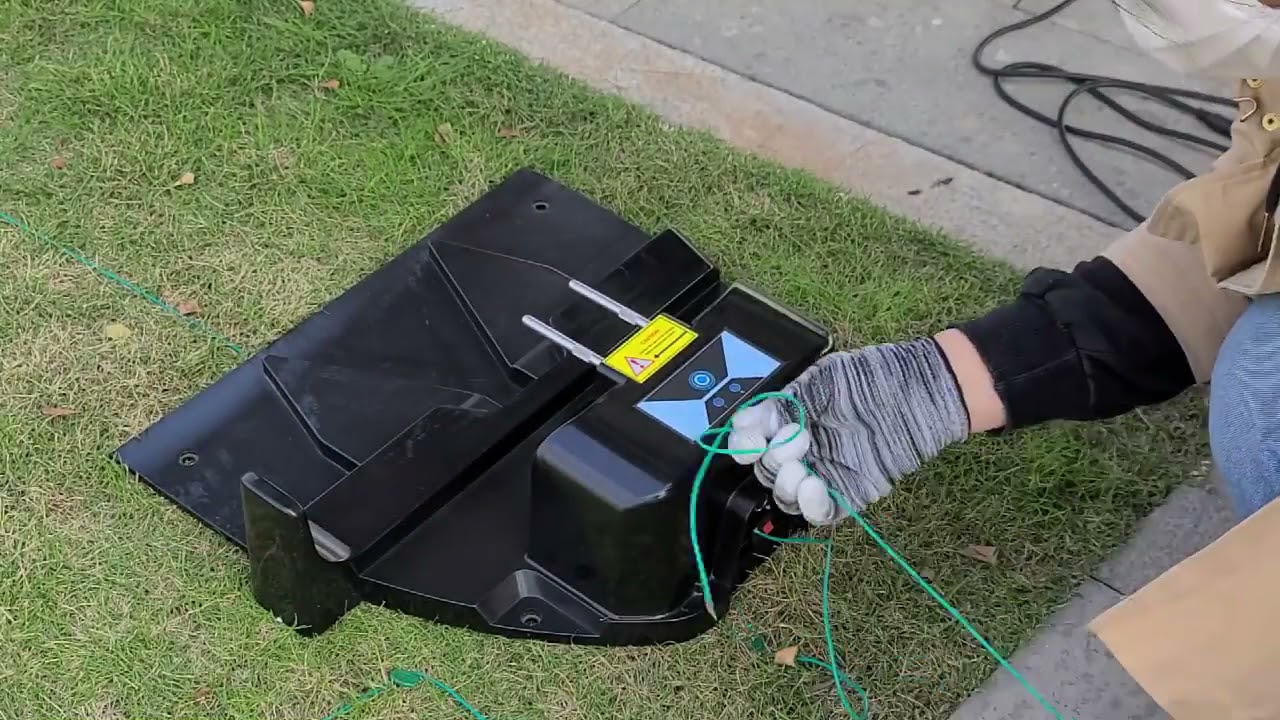
Set the charging station in its planned location, but do not permanently anchor it yet. Leave enough wire near the station to make the required connections.
The wire usually enters the station from one side and returns from the other. Follow the terminal labels in the manual. Reversing the two ends may cause a fault on some models.
Keep the charging area free of:
- Standing water
- Heavy shade that affects some GPS-equipped models
- Loose gravel
- Steep slopes
- Tight turns
- Objects that block the mower’s approach
4. Lay the boundary wire around the lawn
Start at the charging station and run the wire around the planned mowing area. Keep the wire flat on the soil and hold it with stakes.
Place stakes close enough to prevent loops or raised sections. Use extra stakes at corners, slopes, and areas where the grass is uneven. The wire may settle into the grass after a few weeks.
Do not pull the wire so tight that it can snap when the soil shifts. Leave a small amount of slack near connectors, corners, and the charging station.
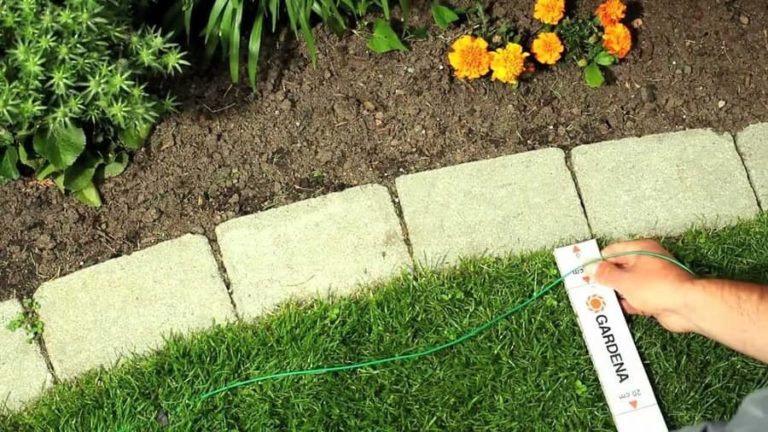
Follow the manual’s setback measurements. As a general planning rule, the wire often needs to sit a short distance inside walls, fences, garden borders, and drops. The correct distance depends on how far the mower’s body and cutting blades extend beyond its sensors.
5. Keep the wire away from hazards
Place boundary wire well inside hazards such as:
- Ponds
- Swimming pools
- Retaining-wall edges
- Open drains
- Steep drops
- Areas with exposed tree roots
- Roads or public walkways
Never rely on the robot mower’s sensors alone to protect it from a drop or road. The boundary wire is a control system, not a physical barrier.
For a pool, use the mower manual and local safety rules. Keep the mower away from water even if the boundary signal appears to work.
6. Create exclusion islands
An exclusion island keeps the mower away from an object inside the lawn. Common examples include a tree, fountain, raised bed, or permanent play structure.
To make an island:
- Run the boundary wire from the outer loop toward the object.
- Circle the object.
- Return along the same path.
- Continue the main loop.
The outgoing and returning wires should normally run close together. When placed according to the manual, their signals cancel in that section, allowing the mower to cross the path and continue around the yard.
Do not create an island unless the mower supports this layout. Some models require a different method or do not support islands at all.
Keep the island wire far enough from the object that the mower cannot hit it. A tree trunk may grow, and roots may lift the wire over time.
7. Install a guide wire when required
A guide wire runs from the charging station into the mowing area. It helps the mower find its way home, especially in long yards, narrow passages, or areas with several boundary turns.
Connect the guide wire exactly as shown in the manual. In many systems, it joins the boundary loop at a specified point and must follow a particular route.
Place it through the part of the lawn that gives the mower the clearest path back to the station. Avoid routing it through areas where furniture, vehicles, or seasonal items may block the mower.
The guide wire must not cross the boundary wire unless the manufacturer specifically allows the crossing. A wrong crossing can interrupt the signal.
8. Secure the wire to the ground
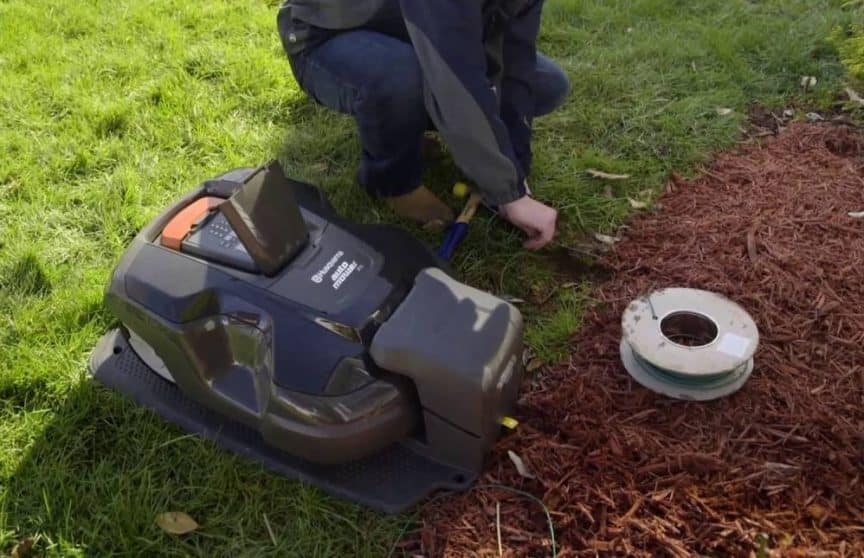
Use the supplied stakes or compatible lawn staples. Press them down so the mower’s wheels and blades cannot catch them.
The wire may be installed in two ways:
- Surface installation: Fast and easy. Grass and soil usually cover the wire over time.
- Buried installation: More protected from rakes, aerators, pets, and foot traffic.
If you bury it, use the depth stated in the manual. A shallow trench is usually safer than a deep one because future repairs are easier. Before digging, call 811 in the United States and mark known irrigation lines, lighting cables, and other private utilities.
Do not bury the wire until the mower has completed a successful test run.
9. Connect the wire to the charging station
Turn off and unplug the charging station before making connections. Insert the two boundary-wire ends into the correct terminals.
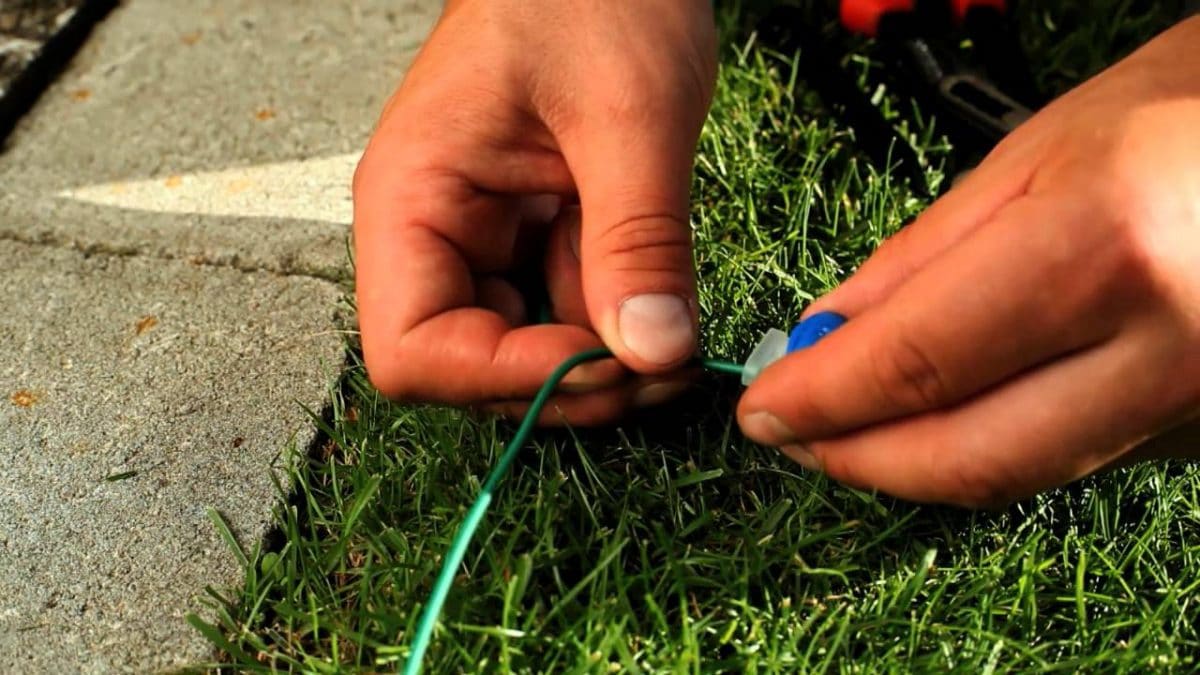
Use the connector type supplied or approved by the mower manufacturer. For outdoor connections, use waterproof gel-filled or similarly rated connectors. Ordinary wire nuts may admit moisture and cause corrosion.
If your system uses a guide wire, connect it to the designated guide terminal. Do not guess based on wire color alone.
10. Power the system and test the loop
Restore power and check the station indicator. Many systems show a solid light when the loop is complete and a flashing light or error code when the signal is missing.
Test the mower at a low-risk time:
- Watch the first full boundary run.
- Confirm that the mower stays inside the wire.
- Check that it approaches the station correctly.
- Test islands and narrow passages.
- Watch for wheel slip on slopes.
- Confirm that the mower does not reach a road, pool, or drop.
Leave the wire on the surface until the mower works correctly through all important areas.
11. Bury or finish the installation
After testing, bury the wire if desired. Use care near trees, irrigation lines, edging, and shallow utility cables.
Take photos of the wire route before covering it. Measure key points from fixed objects. Store the map with the mower manual. This record can save time when you repair a break, install landscape features, or aerate the lawn.
Boundary Wire Layouts for Common Yard Features
The best layout depends on the shape of the yard and the mower’s limits. The following patterns help with planning, but the manual should decide the final measurements.
| Yard feature | Recommended approach | Main risk |
|---|---|---|
| Fence | Run the wire inside the fence at the manual’s setback | The mower may hit the fence |
| Sidewalk | Follow the approved edge distance | Wheels may drop off the pavement |
| Driveway | Cross only if the manual allows it | The mower may enter a driveway or road |
| Flower bed | Create an exclusion island or separate zone | The mower may damage plants |
| Tree | Use an island loop if roots and trunk are protected | Growing roots can move the wire |
| Narrow passage | Check the mower’s minimum corridor width | The mower may get stuck |
| Pond or pool | Keep the boundary well away from water | Sensors may not prevent a fall |
| Slope | Stay within the model’s stated slope limit | Wet grass can cause sliding |
Handling a narrow passage
Measure the passage at its narrowest point. Account for curbs, walls, fence posts, and mower clearance.
A mower may fit through a gap but still fail to turn around or follow the wire. Test the route before burying it.
Handling two lawn sections
Some mowers can manage separate areas only if the areas connect through a passage. Others support multiple zones through the app or require the user to move the mower by hand.
Do not connect two independent loops together unless the manual supports that design. A second loop may need its own switch, terminal, or mowing zone.
Handling a lawn beside a public sidewalk
Keep the wire far enough inside the property line to prevent the mower from reaching the sidewalk. Check local rules if the mower could operate near a public path.
Do not place the charging station where it narrows a walkway or creates a trip hazard.

How to Troubleshoot a Robot Mower Wire Installation
Most wire problems come from an open loop, a poor connector, a wrong terminal, or a wire route that does not match the mower’s limits. Start with simple and safe checks.
The charging station reports a boundary-wire fault
Check these items in order:
- Confirm that the power supply is connected.
- Confirm that both wire ends are in the correct terminals.
- Inspect the connectors for loose wire or moisture.
- Look for a cut wire near recent digging or edging.
- Check the full route for accidental crossings.
- Test the loop with the manufacturer’s approved method or a compatible wire tester.
Unplug the station before touching the wiring.
The mower crosses the boundary
Possible causes include:
- The wire is too close to the edge.
- The wire moved after installation.
- The mower is traveling too fast on a slope.
- The boundary signal is weak or interrupted.
- The wire is connected incorrectly.
- The mower’s boundary settings are wrong.
Move the wire farther from the hazard and test again. Do not solve the problem by placing the wire close to a pool, road, or drop.
The mower stops in one area
Inspect the area for:
- A narrow passage
- A wire loop that is too tight
- A raised stake
- Wet or loose soil
- A steep slope
- A low battery
- A guide-wire route that is blocked
The mower may also stop because the area is outside its supported slope or corridor limits.
The mower cannot find the charging station
Check that:
- The station is level and stable.
- The approach is clear.
- The guide wire is connected correctly.
- The guide wire follows the required route.
- The boundary wire is not crossing it incorrectly.
- The station has power.
- The mower can reach the station without a sharp turn.
A station that works on a clear test path may still fail when furniture, mulch, or a seasonal decoration blocks the approach.
The boundary works at first, then fails later
Outdoor wire failures often result from:
- Water entering a connector
- A wire cut by an aerator or edger
- Rodent damage
- Soil movement
- A stake pulling the wire
- Corrosion at a splice
- Landscaping work
Keep a route map and photos. They make future fault finding much faster.
Common Installation Mistakes to Avoid
Avoid these mistakes before they create a safety or performance problem.
Using ordinary wire connectors
Indoor wire nuts may not remain sealed in wet soil. Use outdoor-rated connectors approved for the system.
Burying the wire before testing
A hidden fault takes longer to find. Test the entire route first, then bury the wire.
Placing the wire on the property line
The mower body may extend beyond the sensor path. Set the wire inside the edge as directed by the manual.
Crossing the wire by accident
A crossed loop can cancel the signal or create a fault. Walk the planned route before securing it.
Ignoring private underground lines
Calling 811 generally helps locate public utility lines. It may not identify every private irrigation line, low-voltage lighting cable, invisible dog-fence wire, or landscape system. Mark and avoid private lines yourself.
Installing the wire near a drop
A robot mower can slide on wet grass. Leave a generous safety margin near retaining walls, ponds, pools, and steps.
Cutting the wire too short
Leave service slack near the station and every planned splice. A few extra feet can prevent a complete reinstallation.
Skipping seasonal checks
Inspect the boundary after:
- Lawn aeration
- Edging
- Fence work
- Tree-root growth
- Drainage work
- Freeze-thaw cycles
- Heavy storms
- New landscaping
Boundary Wire Installation Checklist
Use this checklist before turning the mower loose:
- The mower uses a boundary-wire system.
- The exact model manual is available.
- The wire route is mapped.
- 811 has been contacted before digging.
- Pools, ponds, roads, and drops have wide safety margins.
- The charging station is level and protected.
- The boundary loop is continuous.
- Exclusion islands follow the manual.
- The guide wire is installed if required.
- All crossings are approved by the manufacturer.
- Outdoor connectors are sealed.
- The station reports a normal loop signal.
- The mower has completed a supervised test.
- Wire photos and measurements are saved.
- The wire is buried only after testing.
Frequently Asked Questions
How deep should robot mower boundary wire be buried?
Use the depth stated in your mower’s manual. Many systems allow the wire to rest on the surface and become covered by grass, while others permit shallow burial. Do not bury it deeply without checking the instructions, because repairs become harder and the signal may behave differently.
Can I install robot mower wire over concrete or asphalt?
Only if the manufacturer supports that route. Some systems allow the wire to pass through a small groove or conduit, while others require a different path. Never cut a public sidewalk or driveway without permission and proper utility checks.
Can boundary wire cross itself?
Usually, no. A crossing can interrupt or cancel the boundary signal. Some systems allow specific wire arrangements, such as a guide-wire crossing, but follow the exact diagram for your model.
Can I use leftover wire from another robot mower?
Do not assume it will work. Wire diameter, insulation, signal behavior, and connector requirements can differ. Use the wire recommended for the mower or confirm compatibility with the manufacturer.
Do I need a guide wire?
You need one if your mower requires it. A guide wire is especially useful for long yards, narrow passages, or charging stations that are difficult to reach by following the outer boundary. Some models do not use guide wires.
Can I add more wire later?
Often, yes. Use compatible wire and waterproof connectors, and stay within the mower’s maximum loop length. Turn off the station before making changes, then test the complete loop before burying the splice.
What should I do if I cannot find a wire break?
Disconnect the loop according to the manual and test sections one at a time. Some manufacturers provide a break detector or troubleshooting method. If the fault remains, contact the manufacturer or a qualified mower service technician rather than repeatedly cutting the wire.
Final Takeaway
The most reliable way to install robot mower wire is to plan the route first, follow the exact model manual, keep the wire safely inside hazards, and test the complete system before burying it. Use approved outdoor connectors, call 811 before digging, and supervise the mower during its first full runs.
A careful surface test can prevent hours of repair work. Once the mower stays inside the boundary, reaches its station, and handles every zone safely, finish the installation and save a route map for future maintenance.


