
How To Turn Off A Husqvarna Automower: Easy Guide
Introduction
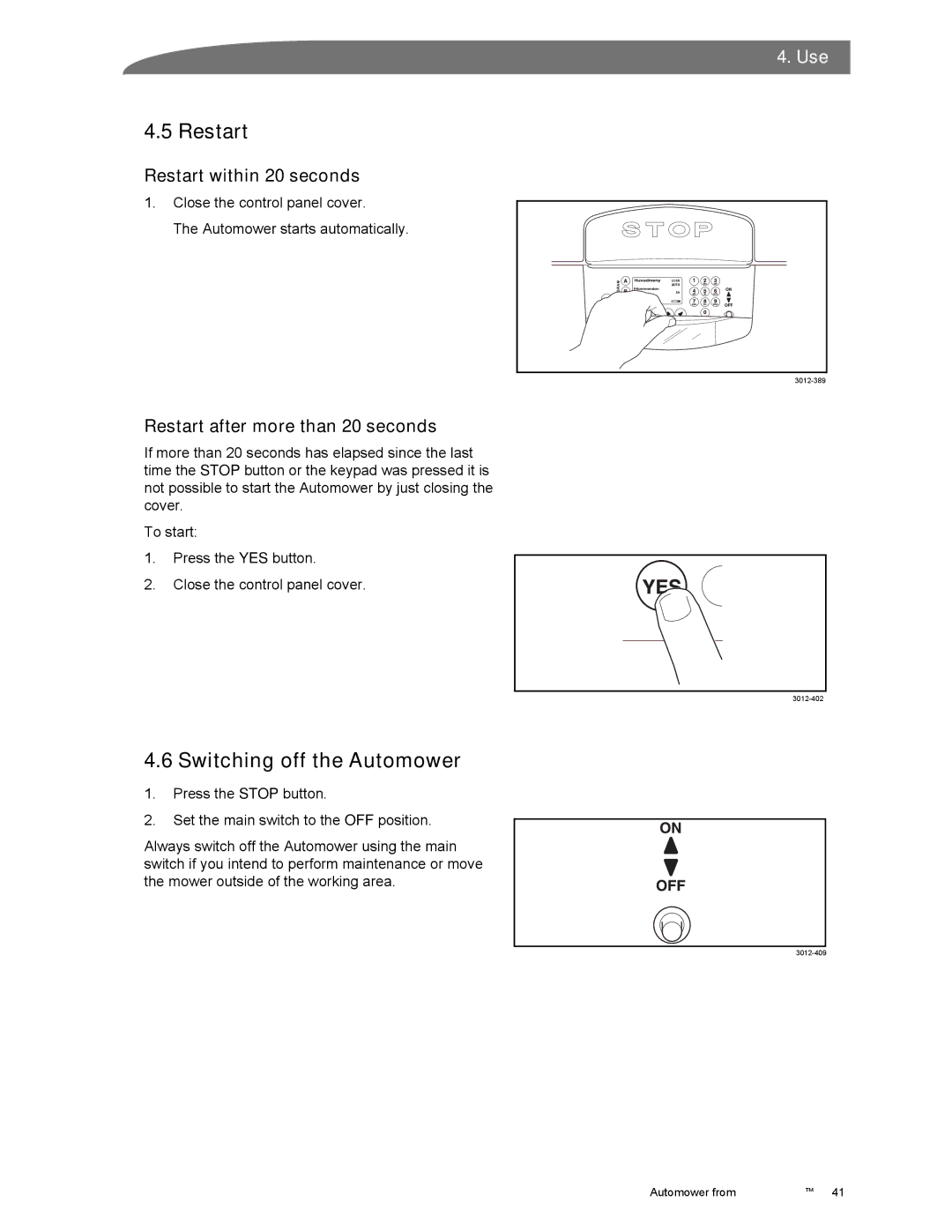
To turn off a Husqvarna Automower in the United States, press STOP, open the control panel if needed, and press the ON/OFF button for about three seconds. Confirm that the mower’s indicator light is off. For cleaning, blade work, transport, or storage, also set the main switch to 0.
The exact buttons can vary by model. Husqvarna Automower models sold in the U.S. may have different control panels, so use the owner’s manual for your model if the steps below do not match your mower.

The Quick Way to Turn Off a Husqvarna Automower
Use these steps for a normal shutdown:
- Press the STOP button.
- Open the keypad cover if your model has one.
- Press and hold the ON/OFF button for about three seconds.
- Wait for the mower to shut down.
- Check that the indicator light is off.
The mower is off when the control panel no longer shows an active status. On some models, the screen may also show a shutdown message before it goes dark.
If the mower is running in the yard, pressing STOP pauses its work first. It may then ask for your PIN or require you to close the keypad cover. Follow the message on the screen.
When to use the main switch
Use the main switch when you need to make the mower fully inactive. This includes:
- Cleaning the underside
- Removing grass from the blade disc
- Changing or checking blades
- Moving the mower by hand
- Loading it into a vehicle
- Preparing it for long-term storage
- Working near the cutting system
After stopping the mower, turn the main switch to 0. The switch may be under the top cover or near the battery area, depending on the model.
How to Turn Off Different Husqvarna Automower Models
The shutdown process is similar across many Husqvarna Automower products, but the control layout can differ. Use the section that best matches your mower.
Automower models with an ON/OFF button
Many Automower models use this sequence:
- Press STOP.
- Open the control panel cover.
- Press and hold ON/OFF for three seconds.
- Wait until the indicator light turns off.
- Close the cover.
This is the common process for several residential Automower models. The exact display wording may differ.
Automower models with a main switch
Some models have a clearly marked main switch. To shut down the mower for service:
- Press STOP.
- Enter the PIN if requested.
- Press and hold the ON/OFF button until the mower turns off.
- Open the cover that protects the main switch.
- Move the switch to 0.
- Wait at least a few seconds before lifting or servicing the mower.
Do not rely only on the mower leaving the charging station or returning to the charging station. A mower in its charging station is not necessarily switched off.
Automower models controlled with Automower Connect
The Automower Connect app can often send a stop command or change the mowing schedule. This can be useful when you are away from home.
However, the app is not a substitute for the physical power switch when you need to:
- Lift the mower
- Turn it upside down
- Touch the blades
- Clean the cutting deck
- Transport the mower
- Store the mower
For these tasks, stop the mower locally and set the main switch to 0.
A quick model check
Look for these controls on your mower:
| Control | What it does |
|---|---|
| STOP | Pauses the mower and opens the control panel |
| ON/OFF | Shuts the mower down after being held for several seconds |
| Main switch | Fully disconnects the mower from normal operation |
| PIN keypad | Confirms access to mower controls |
| Automower Connect | Allows remote commands and schedule changes |
If your mower has no visible ON/OFF button, search the official Husqvarna support site for the manual using the model name and product number.

How to Turn Off an Automower for Cleaning or Blade Work
For cleaning or blade work, use a full shutdown. Pressing STOP alone is not enough.
- Bring the mower to a safe, level place.
- Press the STOP button.
- Enter the PIN if the mower requests it.
- Press and hold the ON/OFF button until the mower turns off.
- Set the main switch to 0.
- Wait several seconds.
- Put on work gloves.
- Turn the mower carefully only if the owner’s manual allows it.
- Clean the mower or replace the blades.
- Return the mower to its normal position.
- Set the main switch back to 1.
- Turn the mower on and place it in the charging station if needed.
Keep your fingers away from the blade disc. The blades are sharp even when they are not moving.
Why STOP alone is not enough
The STOP button pauses mowing. It does not always remove power from every part of the mower. A mower that is paused may still be ready to resume work from a schedule or app command.
Setting the main switch to 0 creates a safer state for hands-on work. Still, follow the specific instructions in the Husqvarna manual for your model.
Before touching the underside
Check all three signs:
- The mower has stopped.
- The display or indicator shows that it is off.
- The main switch is set to 0.
If any sign is unclear, do not touch the mower. Move away from the cutting area and check the manual.

How to Turn Off a Husqvarna Automower for Transport
Turn the mower off before placing it in a car, truck, shed, or other storage area.
- Press STOP.
- Shut the mower down with the ON/OFF button.
- Set the main switch to 0.
- Wait a few seconds.
- Lift the mower by its intended handle or grip.
- Keep the mower level during transport.
- Secure it so it cannot slide or tip over.
Do not carry the mower while it is running or while the main switch is set to 1.
If you are transporting the mower by air, shipping, or a commercial carrier, check the carrier’s battery rules. The mower contains a rechargeable lithium-ion battery, and transport rules may apply.
How to Turn Off an Automower for Winter Storage
A long shutdown needs more than pressing STOP. Husqvarna’s storage instructions can vary by model, but these steps are common:
- Fully charge the mower.
- Clean the mower.
- Turn it off.
- Set the main switch to 0.
- Store the mower indoors in a dry, frost-free place.
- Keep the charging station and power supply protected from weather.
- Store the mower upright and away from heat sources.
- Check the manual for battery care instructions.
Do not leave the mower outdoors all winter unless the manual for your model specifically allows it. Freezing temperatures, moisture, and standing water can harm the battery or electronic parts.
The charging station should also be handled according to the manual. Some installations allow the station to remain connected, while others call for the power supply to be unplugged during seasonal storage.
What to Do if Your Husqvarna Automower Will Not Turn Off
If the mower keeps running, use this safe order:
- Press STOP.
- Move away from the blade area.
- Enter the PIN if requested.
- Hold the ON/OFF button for the required time.
- If it still remains active, set the main switch to 0.
- Do not touch the blades until the mower is fully inactive.
- Check the display for an error message.
- Consult the model manual or Husqvarna support.
Common causes
| Symptom | Possible cause | Safe next step |
|---|---|---|
| The mower pauses but does not shut down | STOP was pressed, but the power button was not held | Hold ON/OFF as described in the manual |
| The mower asks for a PIN | Security access is enabled | Enter the correct PIN |
| The app still shows the mower as active | The app has not updated yet | Check the mower locally |
| The mower starts again later | A schedule or remote command remains active | Switch the mower off and review the schedule |
| The display is blank but the mower is not clearly off | Battery or control issue | Set the main switch to 0 before inspection |
| The button does not respond | Low battery, frozen controls, or a fault | Do not force the controls; contact Husqvarna support |
If the mower does not respond to the STOP button and you cannot safely reach the main switch, keep people and pets away from it. Contact Husqvarna support or an authorized service center.
Common Mistakes to Avoid
Mistake 1: Assuming the charging station turns the mower off
The charging station charges the battery and guides the mower during scheduled operation. It does not always shut the mower down.
Mistake 2: Using the app before physical service
A remote stop command may pause the mower, but it does not replace the main switch for cleaning or blade work.
Mistake 3: Turning the mower over while it is powered
Always shut the mower down and set the main switch to 0 before lifting or turning it.
Mistake 4: Guessing the PIN
Several incorrect PIN attempts may lock access or create extra delays. Use the PIN set during installation or contact the person who installed the mower.
Mistake 5: Forcing the cover or power button
A stuck cover or button may point to dirt, damage, or an electrical problem. Do not use excessive force. Check the manual and arrange service if needed.
Mistake 6: Treating every Automower model as identical
Husqvarna uses different control layouts across its Automower range. The model manual is the final reference for button locations, shutdown times, battery care, and service steps.
How to Turn the Mower Back On
After cleaning or storage, restore power in the correct order:
- Make sure the mower is on a flat surface.
- Confirm that no tools or debris are near the blade disc.
- Set the main switch to 1.
- Press and hold the ON/OFF button.
- Enter the PIN if asked.
- Close the control panel cover.
- Place the mower in the charging station.
- Confirm that it begins charging or shows a ready status.
Do not restart the mower while it is upside down or while anyone is working near the blades.
Frequently Asked Questions
Does pressing STOP turn off a Husqvarna Automower?
No. Pressing STOP usually pauses the mower. To turn it off, press and hold the ON/OFF button. For maintenance or transport, also set the main switch to 0.
How do I turn off an Automower without the PIN?
Try pressing STOP and following the shutdown prompt. If the mower requires a PIN, do not guess repeatedly. The registered owner or installer may have the PIN. Husqvarna support may request proof of ownership before helping with account or security issues.
Can I turn off a Husqvarna Automower from the app?
The Automower Connect app can send commands to supported models, including stop commands. Use the physical controls and main switch for cleaning, transport, blade work, or any task that requires touching the mower.
Should the main switch be on or off when the mower is charging?
For normal charging, the main switch must be in the operating position specified by the manual, usually 1. If the switch is set to 0, the mower may not charge or operate normally.
What should I do if the mower starts again after I turn it off?
Press STOP, shut the mower down with the ON/OFF button, and check the main switch. Then review the mowing schedule and remote commands in Automower Connect. If the mower restarts while the main switch is at 0, contact Husqvarna support.
Final Answer
For a normal shutdown, press STOP, hold the ON/OFF button for about three seconds, and confirm that the indicator light turns off. For cleaning, transport, blade work, or storage, set the main switch to 0 after shutting the mower down.
If the controls on your mower differ, use the official Husqvarna manual for your exact U.S. model. Never touch the blades until the mower is fully off and the main switch is set to 0.


