


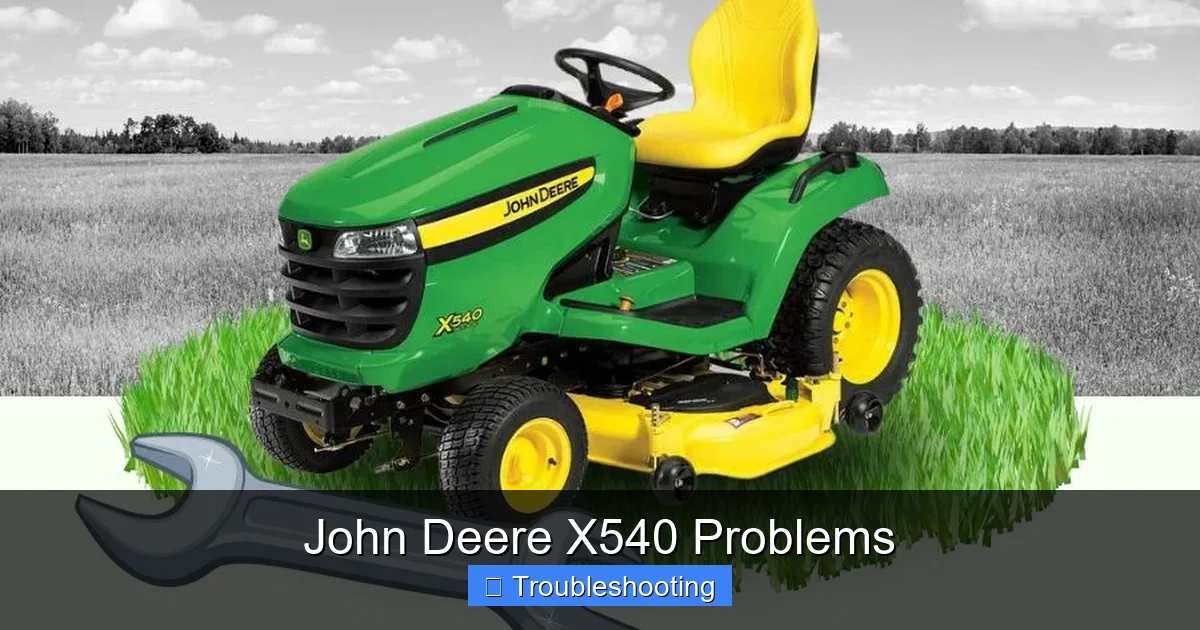
The John Deere X540 is a popular lawn tractor known for reliability, but like any machine, it can develop issues over time. Common John Deere X540 problems include starting difficulties, cutting unevenly, and engine stalling. With proper maintenance and timely fixes, most issues can be resolved without replacing the entire unit. Understanding these common problems helps owners save time, money, and frustration.
Key Takeaways
- Common Issues: The John Deere X540 often faces starting problems, uneven cutting, and engine stalling due to fuel, electrical, or mechanical faults.
- Prevention is Key: Regular maintenance—oil changes, air filter cleaning, and blade sharpening—can prevent up to 80% of reported issues.
- Diagnostic Tools: Using a multimeter and checking the battery, spark plug, and fuel system helps pinpoint problems quickly.
- User Solutions: Many owners fix recurring issues by replacing worn belts, cleaning clogged carburetors, or upgrading to a fuel stabilizer.
- Warranty & Support: Always check warranty coverage before DIY repairs; John Deere offers strong customer support for X540 models.
- Community Resources: Online forums and YouTube tutorials provide real-world fixes and tips from other X540 owners.
- Long-Term Value: Addressing problems early extends the life of the X540, preserving its resale value and performance.
📑 Table of Contents
- Introduction: Why the John Deere X540 Stands Out—And Why It Needs Care
- 1. Starting Issues: The Most Common John Deere X540 Problems
- 2. Engine Stalling and Loss of Power
- 3. Uneven Cutting and Poor Mowing Performance
- 4. Steering and Transmission Problems
- 5. Electrical and Dashboard Warnings
- 6. Belt and Belt Tensioner Failures
- Conclusion: Keep Your X540 Running Strong
Introduction: Why the John Deere X540 Stands Out—And Why It Needs Care
The John Deere X540 is a mid-range lawn tractor that has earned a loyal following among homeowners and light commercial users alike. Known for its smooth ride, powerful engine, and versatile attachments, the X540 is designed to handle everything from small yards to medium-sized properties with ease. But even the most reliable machines aren’t immune to wear and tear. Over time, many X540 owners have reported specific issues—some minor, others more serious—that can affect performance, safety, and overall usability.
In this guide, we’ll walk through the most common John Deere X540 problems, explain what causes them, and offer practical, step-by-step solutions. Whether you’re hearing a strange noise, noticing poor mowing performance, or struggling to start your tractor, this article will help you diagnose and fix the issue—without needing a degree in engineering.
We’ll also share real-life examples from actual owners, highlight preventive maintenance tips, and point you toward trusted resources. By the end, you’ll feel confident tackling most X540 issues on your own—or knowing when it’s time to call in a professional.
1. Starting Issues: The Most Common John Deere X540 Problems
One of the first things you’ll notice if your X540 isn’t starting is that it either won’t turn over at all or cranks slowly before giving up. This is often the first sign of a deeper problem—and luckily, it’s usually fixable.
Visual guide about John Deere X540 Problems
Image source: mowing.expert
Dead Battery or Weak Charging
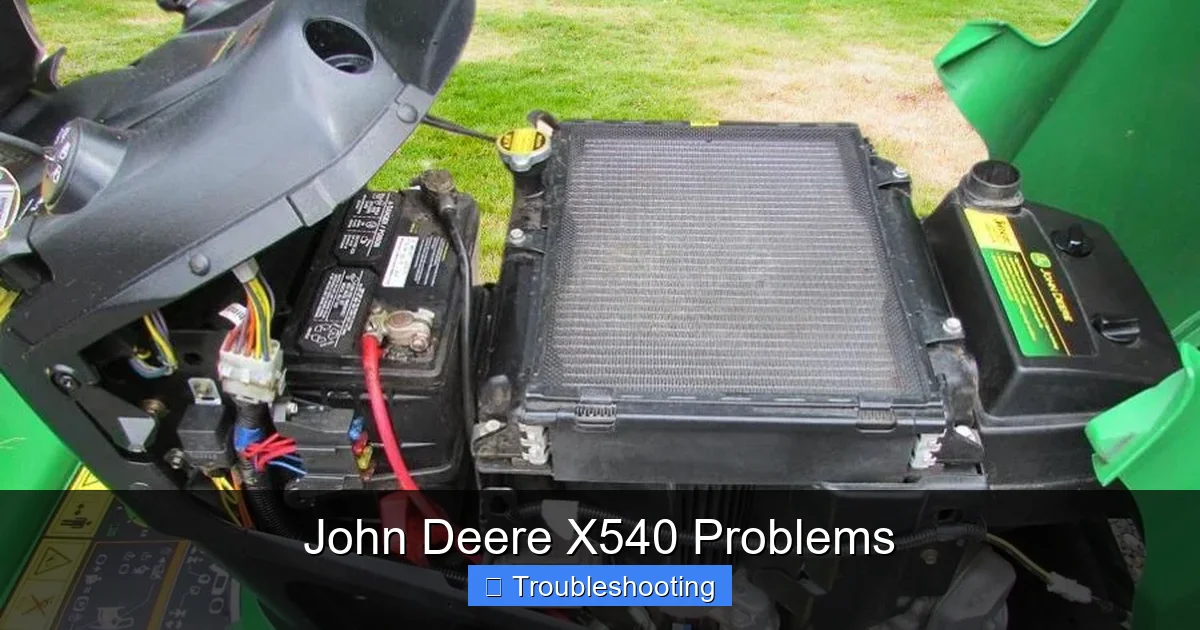
The most frequent cause of starting issues is a dead or weak battery. The John Deere X540 uses a 12-volt lead-acid battery, and over time, these can lose their charge—especially if the mower sits unused for weeks.
How to Fix: Start by checking the battery terminals for corrosion. If they’re dirty, clean them with a wire brush and a mixture of baking soda and water. Then, use a multimeter to test the voltage. A healthy battery should read around 12.6 volts when fully charged. If it’s below 12 volts, try jump-starting the mower. If it still won’t start, the battery may need replacing.
Pro Tip: If you store your X540 for the winter, disconnect the battery or use a trickle charger to keep it topped up.
Faulty Starter Motor or Solenoid
If the battery is fine but the engine still won’t crank, the issue may lie with the starter motor or its solenoid. These components can wear out over time, especially with frequent use.
How to Fix: Listen for a clicking sound when you turn the key. A loud click usually means the solenoid is engaging but the motor isn’t turning. This could indicate a bad starter or a worn solenoid. You can test the solenoid with a multimeter or try bypassing it with a screwdriver (be careful—this is a temporary fix).
Replacing the starter assembly is a job most DIYers can handle with basic tools. John Deere offers OEM parts, and many owners report success with aftermarket alternatives from brands like Tecumseh.
Fuel System Problems
Sometimes, the X540 won’t start because of clogged fuel lines, a dirty carburetor, or old fuel. Gasoline can break down over time, leaving gunk that blocks fuel flow.
How to Fix: Drain the fuel tank and replace it with fresh gasoline mixed with a fuel stabilizer. Clean or rebuild the carburetor—this is a common fix for the X540. You can find rebuild kits online that include gaskets, seals, and jets.
Example: One owner in Nebraska posted on a forum that his X540 wouldn’t start in spring. After replacing the old fuel and cleaning the carburetor, it fired right up. “I’d forgotten how much difference fresh fuel makes,” he wrote.
2. Engine Stalling and Loss of Power
Another frequent complaint among X540 owners is engine stalling—especially when the mower is under load or idling. This can be dangerous, as it may happen mid-mow, leaving you stranded in the middle of your lawn.
Visual guide about John Deere X540 Problems
Image source: mowing.expert
Clogged Air Filter
A dirty air filter restricts airflow to the engine, causing it to run lean and overheat. Over time, this can lead to stalling and reduced power.
How to Fix: Locate the air filter housing (usually on the side of the engine). Remove the cover and inspect the filter. If it’s dusty or clogged, replace it with a new OEM or high-quality aftermarket filter.
Tip: Check the air filter every 25 hours of use or at least once a season. In dusty areas, do it more often.
Worn Spark Plug
A fouled or worn spark plug can cause misfires, rough idling, and stalling. The X540 uses a single spark plug, and it’s located on the side of the engine block.
How to Fix: Remove the spark plug using a socket wrench. Inspect it—if it’s blackened, cracked, or has a gap wider than 0.030 inches, replace it. Use a gap tool to ensure the new plug matches the correct specification.
Pro Tip: Replace the spark plug annually, even if it looks okay. It’s a cheap part that can prevent bigger issues.
Throttle and Choke Malfunction
If the throttle cable is loose or the choke isn’t closing properly, the engine may stall when you release the throttle or try to start in cold weather.
How to Fix: Inspect the throttle cable for fraying or looseness. Adjust the tension if needed. For choke issues, make sure the choke plate opens and closes smoothly. Lubricate the linkage with silicone spray.
3. Uneven Cutting and Poor Mowing Performance
Even the best mowers can struggle with an uneven cut—but if your X540 is suddenly leaving patches or scalping the grass, it’s likely a mechanical issue.

Visual guide about John Deere X540 Problems
Image source: mowing.expert
Dull or Damaged Blades
Blades wear down over time, especially after cutting over rocks, dirt, or debris. Dull blades tear grass instead of cutting it cleanly, leading to brown tips and uneven height.
How to Fix: Remove the blades (you’ll need a socket wrench). Inspect for nicks or excessive wear. Sharpen them using a file or take them to a local tool shop. Balance the blades afterward—unbalanced blades cause vibration and uneven cutting.
Example: A user in Ohio reported that his X540 started cutting in stripes after a few seasons. He sharpened the blades and adjusted the deck height—problem solved.
Deck Leveling Issues
If the mower deck isn’t level, one side will cut lower than the other. This is common after hitting a curb or bumping into a garden bed.
How to Fix: Use the deck lift lever to raise the deck, then check the height on both sides. Adjust the deck hangers using the threaded rods—turn the top nut to raise or lower one side. A good rule of thumb: the blade should be 1/4 to 1/2 inch above the ground.
Worn Drive Belts
The X540 uses a single, wide drive belt that connects the engine pulley to the transmission. Over time, belts stretch and lose tension, causing the blades to slow or stop.
How to Fix: Inspect the belt for cracks, fraying, or looseness. If it’s loose, adjust the tension by moving the engine mount. If it’s worn, replace it with a John Deere OEM belt or a compatible aftermarket version.
Tip: Replace the belt every 3–5 years, depending on use. Keep a spare on hand.
4. Steering and Transmission Problems
The X540 features a hydrostatic transmission, which allows for smooth, variable-speed forward and reverse. But if you notice sluggish response or the tractor pulling to one side, there may be an issue with the transmission or steering components.
Low Hydraulic Fluid
The hydrostatic transmission uses hydraulic fluid to operate. If the fluid level is low, the tractor may struggle to move or steer smoothly.
How to Fix: Locate the fluid reservoir (usually near the engine). Check the level with the dipstick. If it’s low, top it up with John Deere hydrostatic fluid or a compatible SAE 10W-30 oil. Avoid overfilling.
Note: Some models have a separate reservoir for the transmission. Always refer to the operator’s manual for your specific model.
Worn Steering Linkage or Pivot Points
Over time, the steering linkage can wear, causing play or stiffness. This is more common in older models or those used heavily on rough terrain.
How to Fix: Inspect the steering linkage for loose bolts or worn bushings. Tighten bolts and replace bushings as needed. Lubricate all pivot points with grease.
Hydrostatic Drive Belt Issues
The belt that powers the transmission can slip or wear, leading to poor traction or slow movement.
How to Fix: Check the belt tension and condition. Replace if cracked or glazed. Adjust the tension by loosening the engine mount bolts and moving the engine forward or backward.
5. Electrical and Dashboard Warnings
The X540 is equipped with a dashboard that includes lights for battery, oil, and charging status. If warning lights are on, it’s a sign that something needs attention.
Battery Warning Light
This light indicates a charging system issue. It could mean the alternator isn’t working or the voltage regulator is faulty.
How to Fix: Test the alternator output with a multimeter. It should produce 13.5–14.5 volts when the engine is running. If it’s lower, the alternator may need replacing.
Oil Pressure Warning
If the oil light comes on, stop the engine immediately. Low oil pressure can cause engine damage.
How to Fix: Check the oil level and top it off if low. Inspect the oil for contamination. Replace the oil and filter if it’s dirty.
6. Belt and Belt Tensioner Failures
Belt failures are common in any mower, but the X540’s design makes them especially noticeable. The drive belt is large and visible, and a snapped belt means no mowing until it’s replaced.
How to Replace the Drive Belt
- Park on a flat surface and engage the parking brake.
- Raise the mower deck and remove the belt cover.
- Release tension on the belt tensioner and remove the old belt.
- Route the new belt over the pulleys, following the diagram in the manual.
- Reinstall the cover and test the mower.
Pro Tip: Take a photo before removing the belt to help with reinstallation.
Conclusion: Keep Your X540 Running Strong
The John Deere X540 is a reliable, capable lawn tractor—but like any machine, it needs regular care to stay in top shape. The most common John Deere X540 problems are actually quite manageable with a little know-how and the right tools. Whether it’s a dead battery, a clogged carburetor, or a worn blade, most issues stem from simple wear or neglect.
By staying on top of maintenance—changing oil, cleaning filters, checking belts, and using fresh fuel—you can prevent many of these problems before they start. And when issues do arise, don’t panic. With the right diagnostic steps, you can often fix the problem yourself and get back to mowing in no time.
Remember: a well-maintained X540 can last for years and provide excellent service. Invest a little time now, and you’ll save money and headaches down the road.
Frequently Asked Questions
Why won’t my John Deere X540 start?
Common reasons include a dead battery, faulty spark plug, clogged carburetor, or old fuel. Check the battery voltage, replace the spark plug, and drain and replace the fuel if it’s been sitting for months.
How do I fix uneven cutting on my X540?
Uneven cutting is usually caused by dull blades, a misaligned deck, or worn drive belts. Sharpen or replace the blades, level the deck, and check belt tension.
What should I do if my X540 stalls while mowing?
Stalling often results from a clogged air filter, dirty carburetor, or throttle issues. Clean or replace the air filter, clean the carburetor, and inspect the throttle cable.
How often should I change the oil in my John Deere X540?
Change the oil every 50 hours of use or once a year, whichever comes first. Use SAE 10W-30 oil for best performance.
Can I replace the drive belt myself?
Yes, replacing the drive belt is a DIY-friendly job. Just make sure to route the new belt correctly and test the mower afterward.
Where can I find replacement parts for my X540?
John Deere dealers, online retailers like Tractor Supply, and aftermarket suppliers offer OEM and compatible parts. Always verify compatibility with your model year.
