


Raptor SD drive belt problems can cause serious performance issues, from slow speeds to complete engine failure. These problems often stem from wear, improper installation, or environmental factors. Regular inspection and timely replacement can prevent costly downtime and extend your machine’s life.
Key Takeaways
- Worn or cracked belts are the most common cause of Raptor SD drive belt problems. Regular visual checks can catch issues early.
- Improper tension leads to slippage or excessive wear. Use a belt tension gauge to ensure correct settings.
- Dirt and debris in the drive system can accelerate belt degradation. Always clean the area before maintenance.
- Misaligned pulleys cause uneven wear and premature failure. Check pulley alignment during every inspection.
- Environmental conditions like heat, moisture, and UV exposure weaken belts over time. Store equipment properly when not in use.
- Using the wrong belt type results in poor performance or damage. Always use OEM or equivalent belts.
- Ignoring warning signs like squealing or vibration can lead to sudden breakdowns. Address symptoms immediately.
📑 Table of Contents
- Raptor SD Drive Belt Problems: A Complete Guide to Diagnosis, Repair, and Prevention
- Understanding the Raptor SD Drive Belt System
- Common Raptor SD Drive Belt Problems
- Diagnosing Raptor SD Drive Belt Problems
- How to Fix Common Drive Belt Issues
- Preventing Raptor SD Drive Belt Problems
- When to Call a Professional
- Real-World Examples of Belt Problems and Fixes
- Conclusion: Keep Your Raptor SD Running Strong
Raptor SD Drive Belt Problems: A Complete Guide to Diagnosis, Repair, and Prevention
Have you ever been out on the trail, enjoying a smooth ride on your Raptor SD, when suddenly the engine stutters, the belt starts to scream, or worse—it just stops working altogether? You’re not alone. Raptor SD drive belt problems are among the most common mechanical headaches riders face. These machines are powerful and built for tough terrain, but even the best engineering can falter if the drive belt isn’t in top shape.
The drive belt is the unsung hero of your Raptor SD. It transfers power from the engine to the transmission and wheels, making it one of the most critical components. When it fails, everything else fails with it. But don’t worry—most drive belt issues are preventable with the right knowledge and routine care. In this article, we’ll walk you through everything you need to know about identifying, fixing, and preventing Raptor SD drive belt problems.
Understanding the Raptor SD Drive Belt System
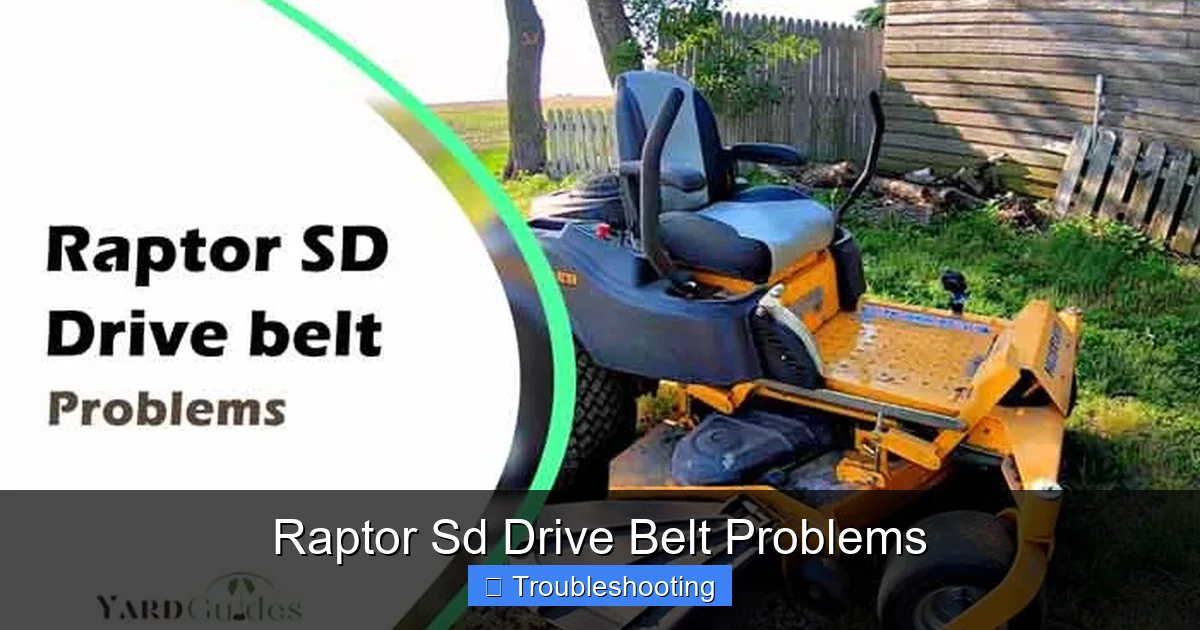
Before diving into problems, it’s important to understand how the drive belt system works in your Raptor SD. This machine uses a centrifugal clutch and a drive belt to transfer engine power to the rear wheels. The belt rides on two pulleys: the engine pulley (driven by the crankshaft) and the transmission pulley. As the engine spins, the belt moves between these pulleys, turning the wheels.
Visual guide about Raptor Sd Drive Belt Problems
Image source: yardguides.com
How the Drive Belt Transfers Power
The drive belt operates on a simple but vital principle: friction. The belt grips both pulleys tightly enough to transfer torque. If the belt slips, loses tension, or wears unevenly, power transfer becomes inefficient or stops completely. That’s why even small issues—like a loose belt or a dirty pulley—can lead to major performance problems.
Common Belt Types Used in Raptor SD
Most Raptor SD models use a poly-V belt or a multi-ribbed belt design. These belts are engineered for durability and flexibility under high RPM and torque. Using the wrong type of belt—especially a generic or low-quality aftermarket version—can lead to premature wear and system failure.
Common Raptor SD Drive Belt Problems
Let’s face it: no machine is immune to wear and tear. But knowing the most frequent Raptor SD drive belt problems can save you time, money, and frustration. Here are the top issues riders encounter:
Visual guide about Raptor Sd Drive Belt Problems
Image source: insidetheyard.com
1. Belt Slippage
Slippage occurs when the belt doesn’t grip the pulleys tightly enough. This can happen due to low tension, contamination (like oil or grease), or a worn pulley surface. Slippage causes the engine to rev high while the machine moves slowly—a frustrating and dangerous situation.
Example: You’re accelerating on a steep hill, but the RPMs climb without a corresponding increase in speed. You hear a high-pitched whine, and the machine feels weak. That’s belt slippage.
2. Belt Cracking and Dry Rot
Over time, the rubber in the drive belt can dry out and crack, especially if the machine is stored in direct sunlight or exposed to extreme heat. Cracks weaken the belt, making it more prone to breaking. A cracked belt can fail suddenly, leaving you stranded.
3. Belt Breakage
This is the worst-case scenario. A broken belt means no power transfer—no movement. It often happens suddenly during high-speed operation or when the belt is already weakened by wear or misalignment. A snapped belt usually requires a full replacement and sometimes pulley inspection.
4. Uneven Wear
If the belt wears down more on one side or in specific spots, it’s a sign of misalignment or improper pulley condition. Uneven wear reduces efficiency and shortens the belt’s lifespan. It’s like driving a car with one flat tire—everything feels off.
5. Excessive Noise
A healthy belt runs quietly. If you hear squealing, chirping, or grinding, it’s a warning. These noises often indicate slippage, misalignment, or a damaged pulley. Ignoring noise can lead to more severe damage.
Diagnosing Raptor SD Drive Belt Problems
Spotting Raptor SD drive belt problems early is key to avoiding costly repairs. Here’s how to diagnose issues before they become emergencies:
Visual guide about Raptor Sd Drive Belt Problems
Image source: wiringall.com
Visual Inspection
Start by turning off the engine and disconnecting the spark plug. Remove the seat or access panel to expose the belt. Look for:
- Cracks or fraying
- Glazing (a shiny, hardened surface)
- Oil or grease contamination
- Uneven wear patterns
Check Belt Tension
Use a belt tension gauge to measure tension. Most belts should have between 1.5 to 2.5 inches of deflection when pressed midway between pulleys. Too loose = slippage. Too tight = excessive stress on bearings and pulleys.
Test for Slippage
With the engine running, gently press the belt with your finger. If it feels loose or moves side-to-side, tension may be off. Also, listen for high-pitched squeals during acceleration—a classic sign of slippage.
Inspect Pulleys
Look for grooves, burrs, or debris on the pulley surfaces. A dirty or damaged pulley can’t grip the belt properly. Clean pulleys with a soft brush and compressed air.
How to Fix Common Drive Belt Issues
Once you’ve identified the problem, it’s time to fix it. Here’s how to address the most common Raptor SD drive belt problems:
Replacing a Worn or Cracked Belt
1. Remove the old belt carefully, noting its routing.
2. Clean the pulley grooves and surrounding area.
3. Install the new belt, ensuring it’s seated properly in the grooves.
4. Reassemble and test.
Pro Tip: Always replace the belt with an OEM or high-quality aftermarket equivalent. Cheap belts may save money upfront but often fail faster.
Adjusting Belt Tension
Most Raptor SD models have an adjustable idler pulley. Loosen the bolt, move the pulley to tighten or loosen the belt, then retighten. Recheck tension after a short test ride.
Cleaning Contaminated Belts
If the belt is dirty or oily, wipe it down with a lint-free cloth and mild detergent. Avoid soaking the belt—water can weaken the rubber over time. Let it dry completely before reinstalling.
Aligning Misaligned Pulleys
Use a straightedge or laser alignment tool to check pulley alignment. If misaligned, adjust the transmission or idler pulley as needed. Improper alignment causes uneven wear and vibration.
Preventing Raptor SD Drive Belt Problems
Prevention is always better than repair. Here’s how to keep your drive belt in top condition:
Follow a Regular Maintenance Schedule
Check the belt every 50 hours of operation or at the start of each season. Inspect for wear, tension, and contamination. Keep a maintenance log to track belt life and replacement intervals.
Use the Right Belt
Always use the belt specified in your owner’s manual. For example, the Raptor SD 700 uses a Gates or Dayco equivalent poly-V belt. Using a generic or incorrect belt can lead to poor performance and early failure.
Store Your Raptor SD Properly
Store your machine in a cool, dry place away from direct sunlight. UV rays and heat break down rubber. Cover the belt area with a protective tarp to prevent dust buildup.
Keep the Drive Area Clean
After riding in muddy or dusty conditions, clean the belt and pulleys. Use a brush and compressed air to remove debris. Never hose down the belt—water can seep into bearings and cause corrosion.
Avoid Overloading the Machine
Carrying excessive weight increases belt strain. Stay within the manufacturer’s load limits to reduce stress on the belt and clutch.
Upgrade to a High-Performance Belt
For off-road enthusiasts, consider upgrading to a performance belt designed for high torque and heat resistance. Brands like Gatorback or Dayco offer belts with reinforced cords for longer life.
When to Call a Professional
While many Raptor SD drive belt problems are DIY-friendly, some situations require expert help:
- The belt keeps slipping despite proper tension.
- You suspect internal clutch or transmission damage.
- The pulley shows deep grooves or bearing play.
- You’re unsure about belt routing or tension specs.
A certified mechanic can diagnose hidden issues and ensure everything is aligned and balanced correctly.
Real-World Examples of Belt Problems and Fixes
Let’s look at a few real scenarios:
Case Study 1: The Cracked Belt After Storage
A rider stored their Raptor SD in a hot garage for six months. When they tried to start it, the belt was cracked and brittle. The belt had dried out from heat and UV exposure. Solution: Replace with a new belt and store the machine in a shaded, cool area.
Case Study 2: Slippage After Oil Spill
During a repair, oil spilled onto the belt and pulleys. The rider didn’t clean it, and over time, the belt lost grip. Result: constant slippage and poor acceleration. Solution: Clean the system thoroughly and install a new belt.
Case Study 3: Uneven Wear from Misalignment
A mechanic installed a new belt but didn’t check pulley alignment. After a few rides, the belt wore down on one side. Solution: Realign the pulleys and replace the belt. Now the machine runs smoothly.
Conclusion: Keep Your Raptor SD Running Strong
Raptor SD drive belt problems may seem daunting, but with the right knowledge, they’re manageable. The key is to stay proactive. Regular inspections, proper storage, and using quality parts can prevent most issues before they start. Remember, the drive belt is the heart of your machine’s power transfer system—treat it with care.
By understanding how the belt works, recognizing early warning signs, and following a solid maintenance routine, you’ll keep your Raptor SD running smoothly for years. And when in doubt, don’t hesitate to consult your manual or a professional mechanic. A small investment in prevention now can save you from a major breakdown later.
Stay safe, ride smart, and keep that belt tight!
Frequently Asked Questions
How often should I replace the drive belt on my Raptor SD?
Most manufacturers recommend replacing the drive belt every 200–300 hours of use or once a year, whichever comes first. However, inspect it every 50 hours for cracks, wear, or contamination. Frequent use in harsh conditions may require more frequent replacement.
Can I use a generic belt instead of the OEM one?
It’s possible, but not recommended. Generic belts may not meet the exact dimensions, material quality, or torque requirements of your Raptor SD. Using a low-quality belt can lead to slippage, poor performance, and premature failure. Always use OEM or a certified equivalent.
Why does my belt squeal when I accelerate?
Squealing during acceleration usually indicates belt slippage. This can be caused by low tension, a dirty pulley, or a worn belt. Check tension first, then clean the pulleys. If the problem persists, inspect for wear or misalignment.
What causes belt cracking?
Belt cracking is often due to dry rot from UV exposure, heat, or aging. Storing your Raptor SD in direct sunlight or a hot garage accelerates this process. Also, using oil or grease on the belt can weaken the rubber over time.
How do I know if my belt is too tight or too loose?
A belt that’s too loose will slip and squeal. A belt that’s too tight puts extra strain on pulleys and bearings, leading to premature wear. Use a tension gauge: press the belt midway between pulleys—it should deflect 1.5 to 2.5 inches.
Can I clean the belt with water?
No. Water can weaken the rubber and promote mold or corrosion in the pulleys. Use a dry cloth or compressed air to clean the belt. If it’s heavily contaminated with oil, use a mild detergent and let it air dry completely before reinstalling.
